
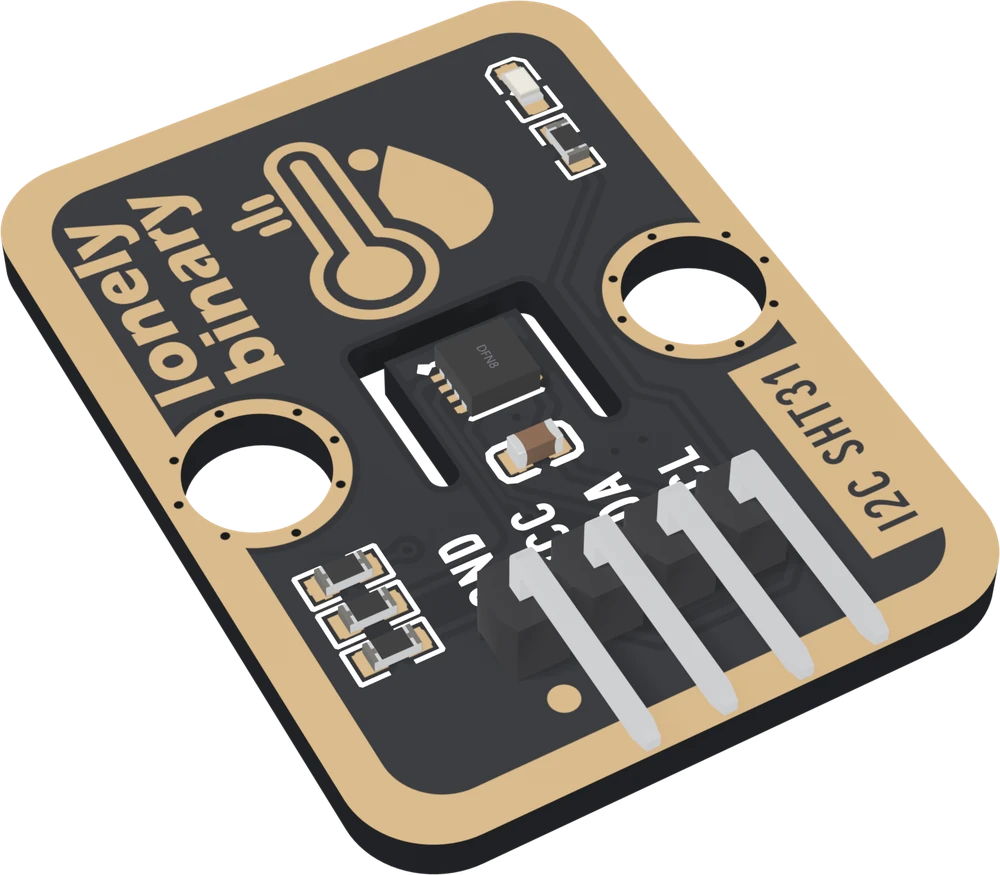
The TK120 at an angle: a black board with a gold border, the small square SHT31 chip in the middle on a tongue of board with a U-shaped slot routed round it, a capacitor below it, two round mounting holes, a thermometer-and-droplet drawing, lonely binary up the left edge, I2C SHT31 up the right edge, the power LED and its resistor at the top right, three resistors at the bottom left, and a right-angle four-pin header labelled GND, VCC, SDA and SCL.
VR

View it in VR

This board opens in a VR headset: life-size, or big enough to stand beside, with every pin and every part named where it sits. Open this address in the browser on a headset such as Apple Vision Pro or Meta Quest.

learn.lonelybinary.com/vr/tk120
You have this

SHT31 Temperature and Humidity Sensor

A Sensirion SHT31 on a TinkerBlock carrier: two numbers over two shared wires, calibrated at the factory, with the pull-ups already fitted and two jumpers on the back that set the address and take them away again.

Address
0x44or 0x45, one jumper
Temperature
±0.2°C typical
Humidity
±2% RH typical
Supply
3–5V, pull-ups fitted

Turn it over and see all four holes wired: SDA and SCL each have a 10 kΩ pull-up behind the I2C PULL-UP jumper, joined as shipped. The ADDR jumper beside them is open, so the sensor answers at 0x44 until you bridge it.

Product questions & answers ↓

Community

Product questions

See what other owners have asked, and read their solutions.

Ask a question ↗

SHT31 Temperature and Humidity Sensor

Loading discussions…

Need another

Not on general sale yet. Reply to your order and we will sort out a spare — quote tk120.

Order or missing parts?

Email us or reply to your order, and quote tk120 — that identifies the product. If something is missing from the bag, your order is the record of what shipped.

Take it with you

Point a phone camera at the code and this page opens there. It is the same address as the one printed on your box, so it is also what to show someone you are passing the board to.