This lesson uses: Arduino UNO R3 board, TinkerBlock TK65 Steam Sensor module, jumper wires (or breadboard). Use analog input to read the steam sensor; outcome: serial shows steam value (0–1023); breathing on the sensor or spraying water vapor raises the value.
1. Wiring
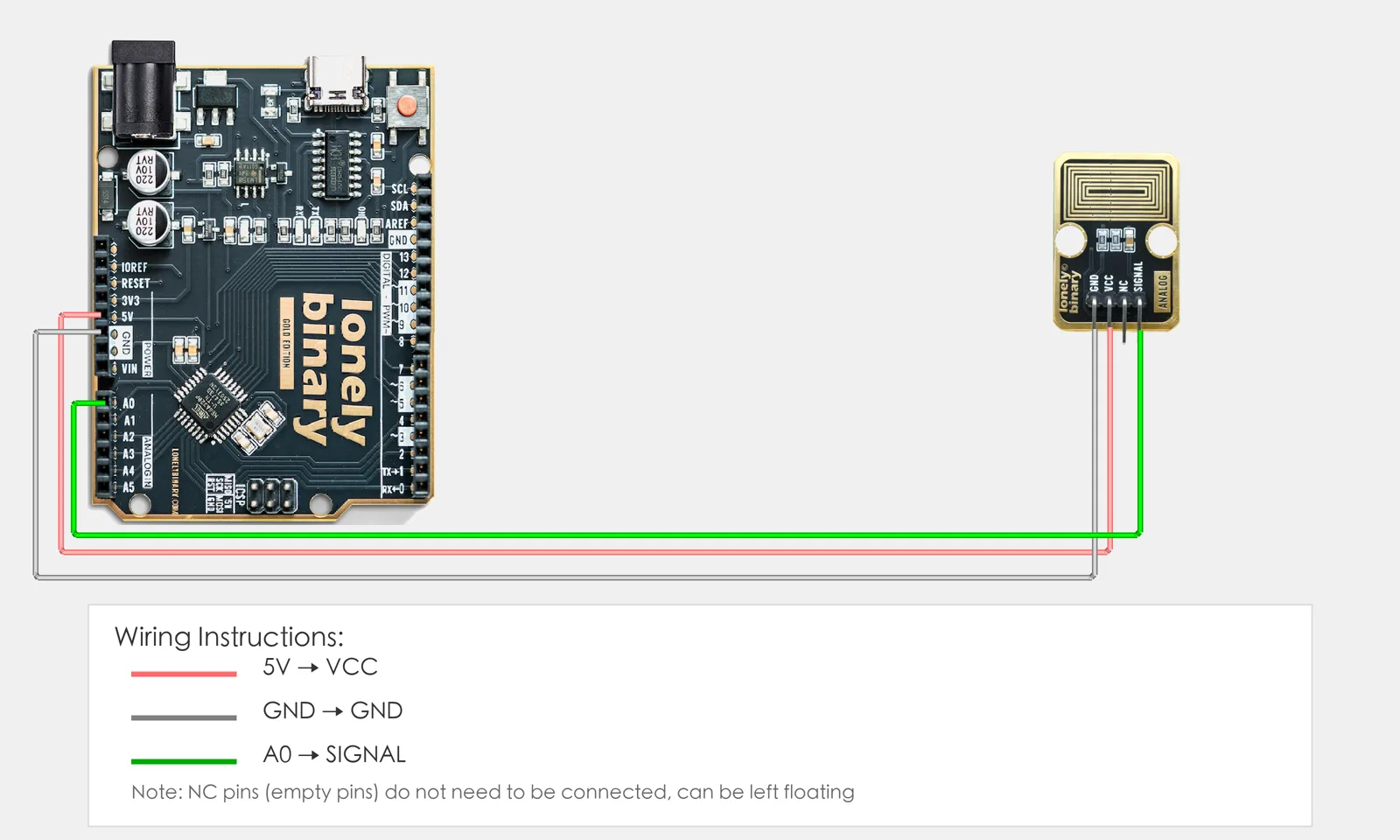
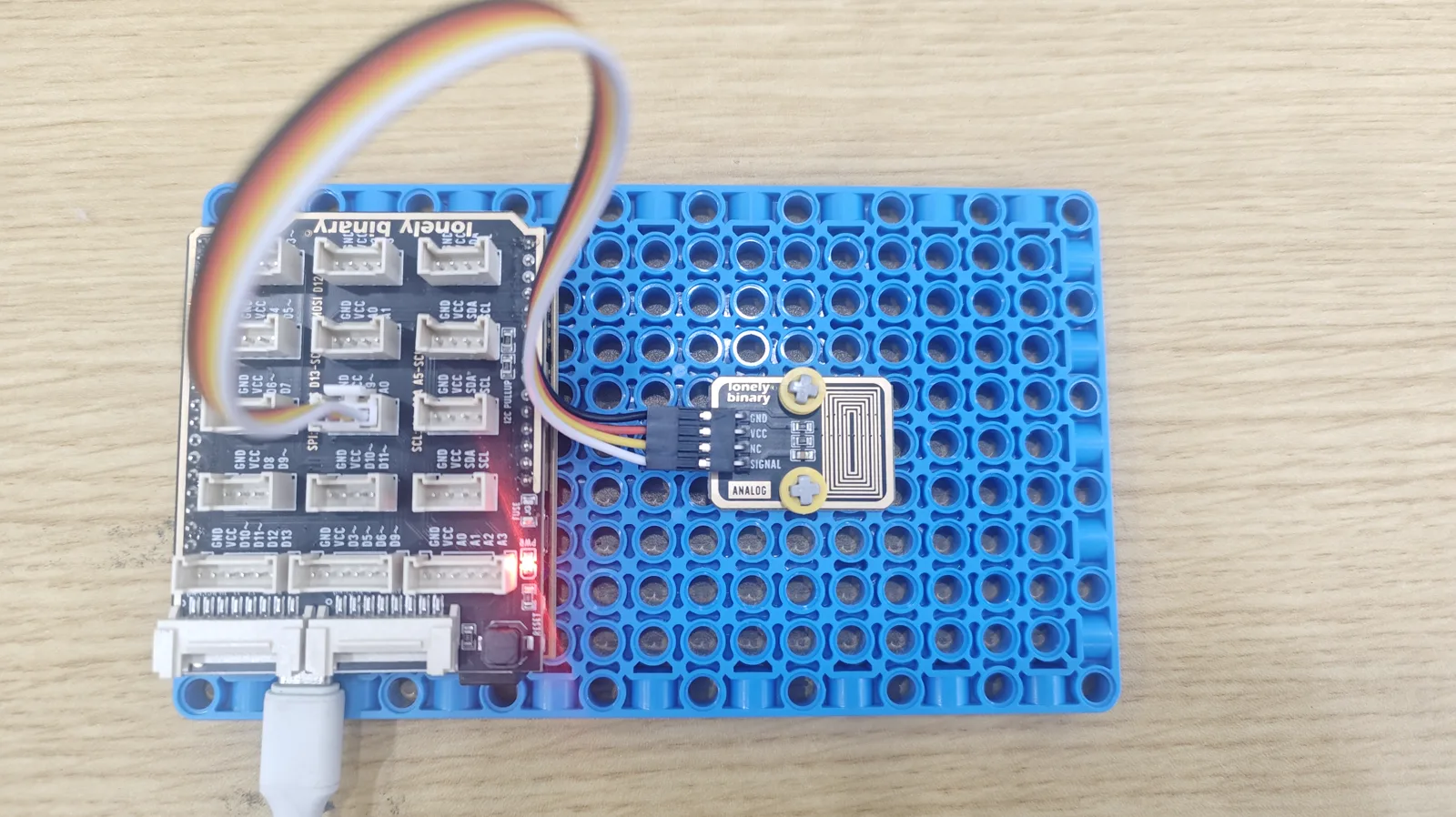
Connect TK65 Steam Sensor to Arduino:
- GND → Arduino GND
- VCC → Arduino 5V
- SIGNAL → Arduino A0
- NC leave unconnected
2. New sketch
- Arduino IDE: File → New (or Ctrl/Cmd + N) to create a blank sketch
- Confirm board and port are selected (same as Lesson 01)
- Type the code below into the default
setup()andloop()yourself
3. Program structure
Same as last lesson: two fixed blocks setup() and loop().
setup(): Start serial; runs once.loop(): Keep repeating “read analog value → print to serial → wait → repeat”.
Breathe on the module or bring it near steam and the serial value will go up—upload and try.
4. Code to write
Type the code below into setup() and loop() (do not copy-paste; typing it yourself helps you remember):
// Steam sensor on A0; higher value = more steam/humidity
#define STEAM_PIN A0

void setup() {
  Serial.begin(9600);   // Baud 9600 for steam value
  Serial.println("Steam sensor program started");
}

void loop() {
  int val = analogRead(STEAM_PIN);   // Read A0, 0-1023
  Serial.print("Steam: ");
  Serial.println(val);   // Higher usually = more steam/humidity
  delay(200);   // Update every 200 ms
}
Program notes
Overall idea: TK65 outputs an analog voltage related to steam/humidity; A0 gives 0–1023. Higher value usually means more humidity or steam; breathing or spraying water vapor will make it rise. Without linear calibration we only compare relative values.
| Code | In this lesson |
|---|---|
analogRead(STEAM_PIN) | Read A0; 0–1023 maps to sensor output; higher = more steam/humidity |
5. Hands-on
- After entering the code, click Verify (✓) to compile
- Click Upload (→) to upload to the board
- Open Serial Monitor (Tools → Serial Monitor, baud 9600)
- Watch serial: current steam value
- Breathe on the sensor or spray water vapor and see the value change
Expected result:
Serial monitor:
Steam sensor program started
Steam: 512
Steam: 523
Steam: 678
...
Note: TK57 Reflective Optical Sensor works similarly (optical detection); you can try it.
Proceed to Lesson 34.
Edit this page — content/guides/tinkerblock-workshop/33-steam-sensor.mdx
Questions about this product
See what other owners have asked, and read their solutions.
Steam Sensor
Loading discussions…
Discuss this article
Ask about this page. The answer stays here, on the page it belongs to, for whoever hits the same wall next.