PulseView
The open-source half of the pair. It reaches the analyzer through sigrok's fx2lafw driver, lists it as “Saleae Logic with 8 channels”, and carries decoders that stack on each other — once you have got past the warning macOS puts in front of it.
What it is
PulseView is the desktop application of the sigrok project. It talks to
hardware through sigrok's driver layer, and the driver for this analyzer is
fx2lafw — a generic, open-source driver for a whole family of USB analyzers
built on the same silicon.
That is the reason to have it. Logic 2 is friendlier, and it works here through a compatibility with somebody else's product. This one works through a driver that is part of an open-source project, which is a different kind of guarantee.
Getting it
The downloads page on sigrok.org lists nightly builds and release builds for Linux, Windows and macOS. Take a nightly unless you have a reason not to: the releases are old enough that the page says so itself.
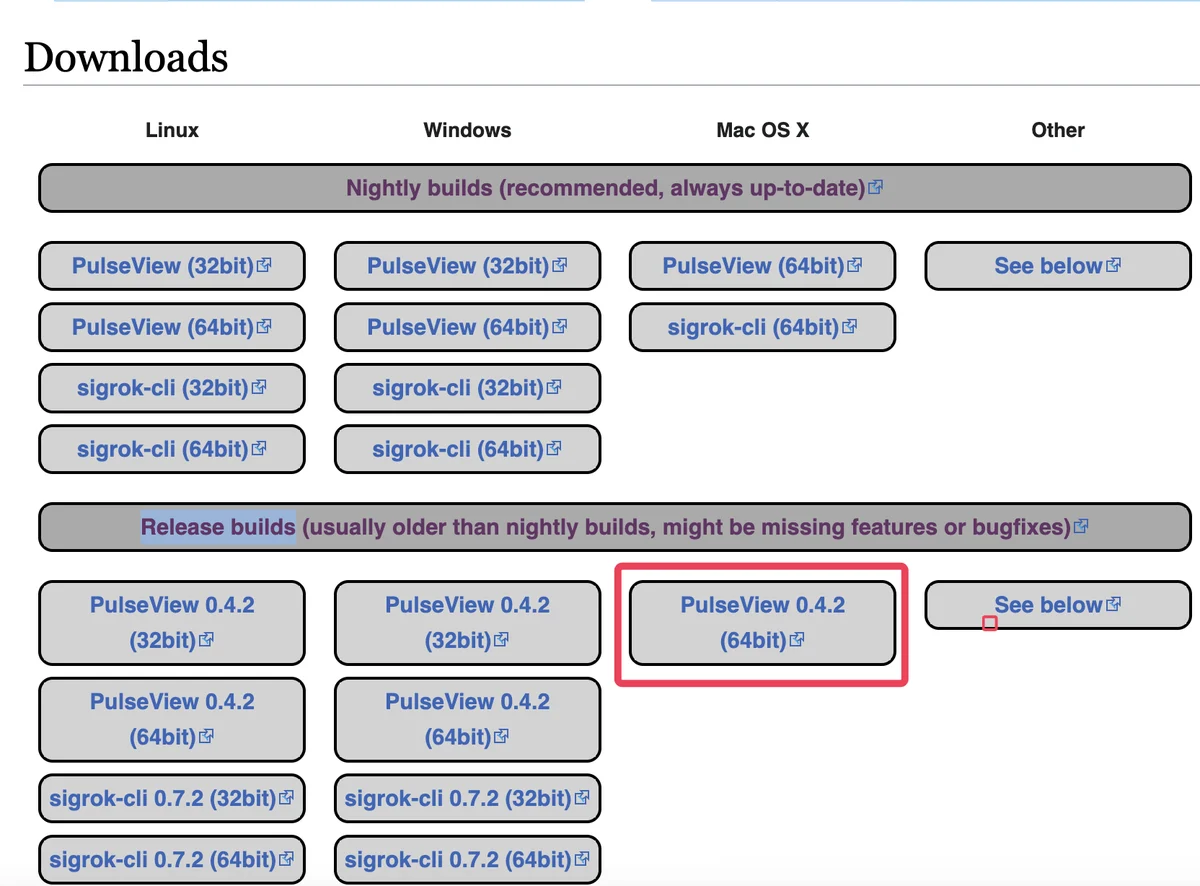
On Linux, your distribution may already package it (apt install pulseview and
equivalents), which is the least work. On Windows the installer includes what
the device needs. On macOS, drag it to Applications and expect one more step.
The macOS step
The sigrok builds are not notarised, so the first launch is refused rather than sandboxed:
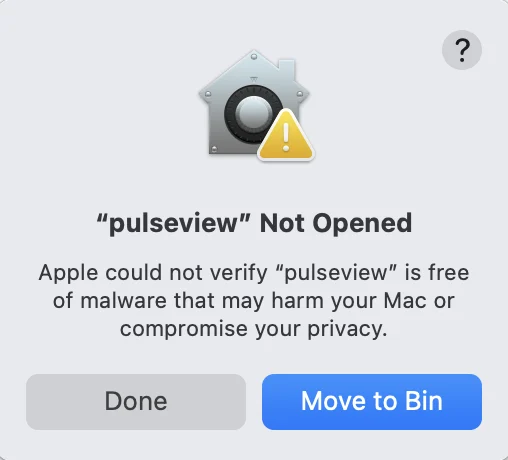
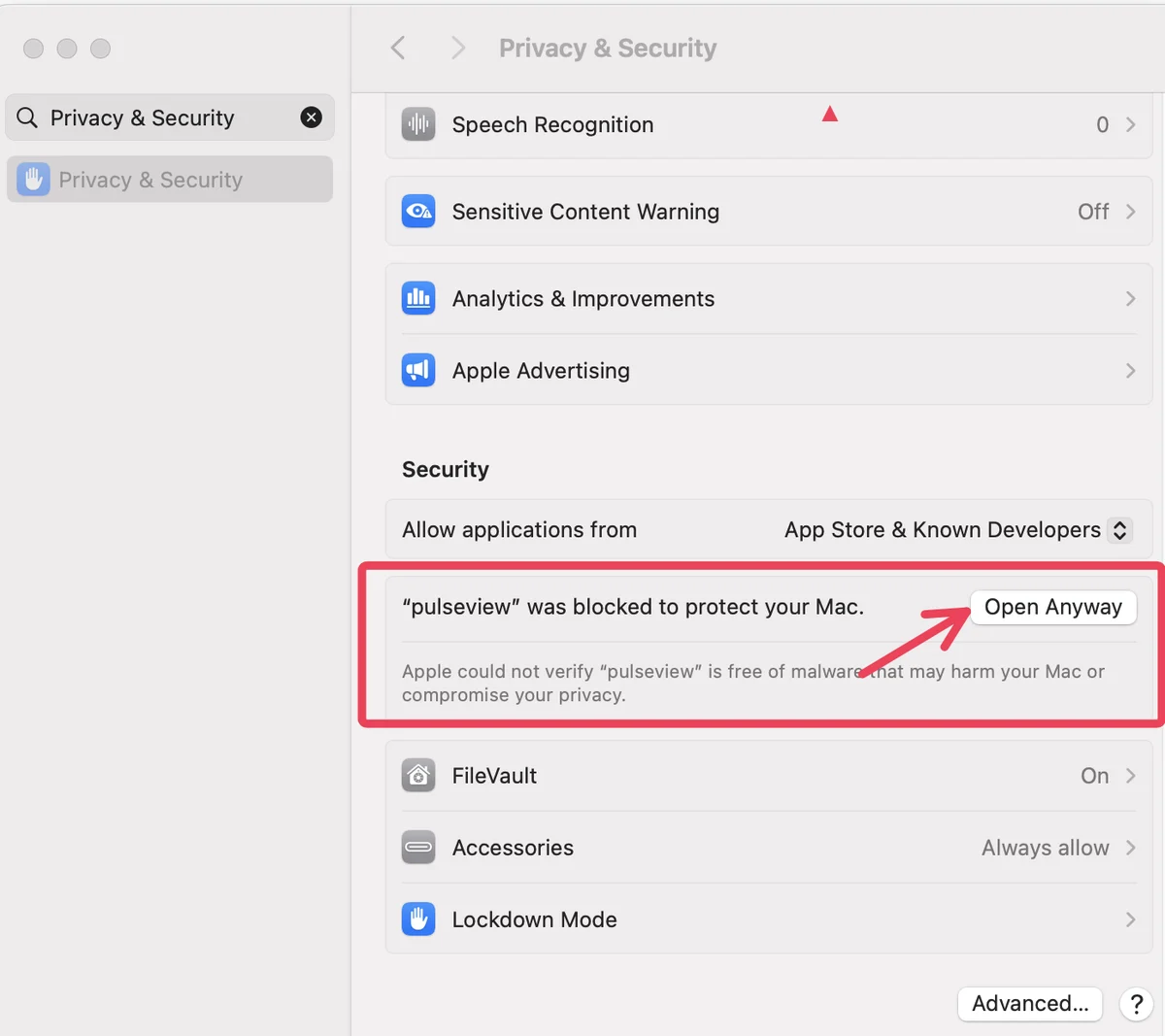
Press Done — never Move to Bin — then open System Settings, go to Privacy & Security, and scroll to the Security section. There is a line about pulseview with an Open Anyway button beside it.
Do this for a build you downloaded from sigrok.org yourself, and not on the strength of a link somebody sent you. The warning is doing a real job; you are overriding it because you know where the file came from.
Finding the device
PulseView's connect dialog is four numbered steps, and only two of them matter here.
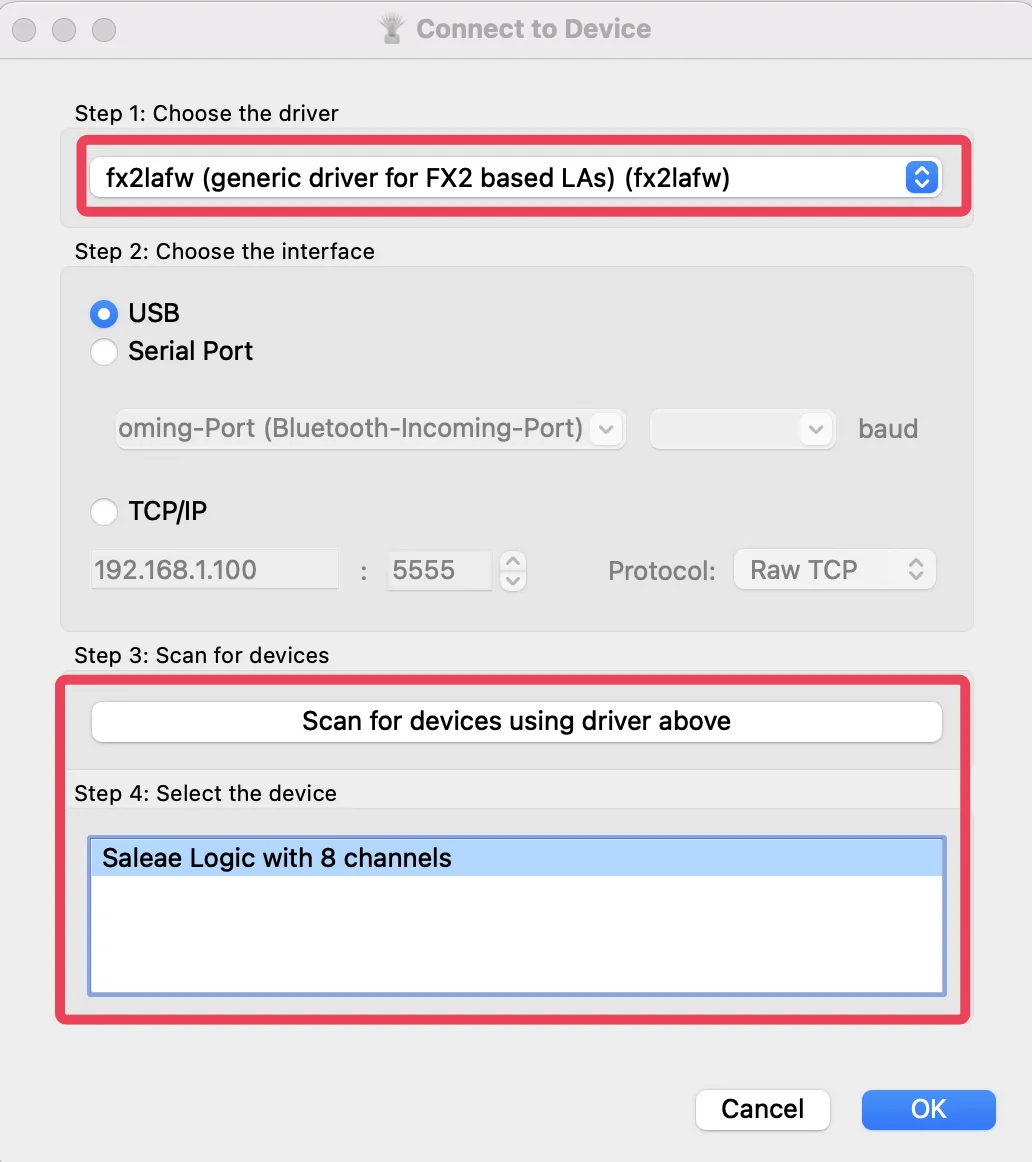
Pick fx2lafw (generic driver for FX2 based LAs) as the driver, leave the interface on USB, and press Scan for devices. The analyzer comes back as Saleae Logic with 8 channels. Select it and press OK.
The name is not a mistake and it is not a warning about a counterfeit. It is the profile inside fx2lafw that matched, and eight channels is exactly what you have.
Capturing
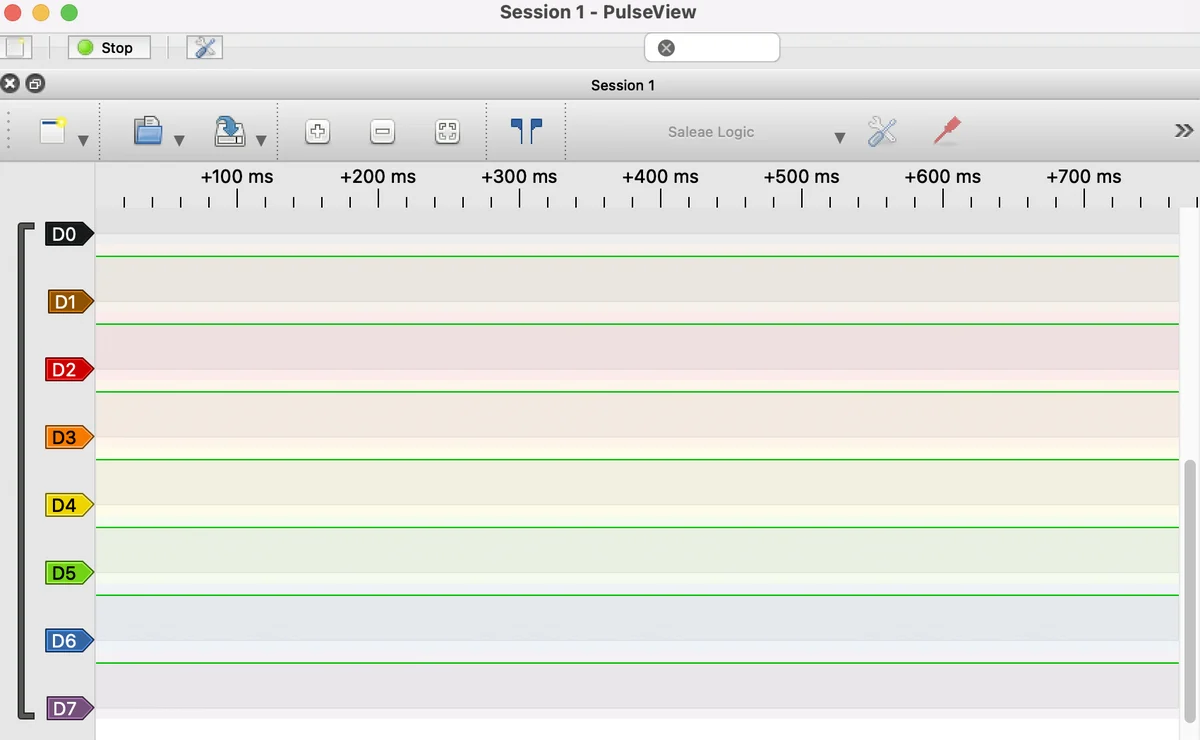
Set the sample rate and the sample count in the toolbar, press Run, and make the board do the thing.
Two settings people leave wrong. The rate should come from the bus rather than the top of the list — see samples per bit. And the sample count is a length, not a quality: a hundred million samples at 24 MS/s is four seconds of capture and 100 MB of USB traffic, and you almost certainly wanted a few milliseconds.
Stacked decoders
This is the thing PulseView does that is worth learning. Decoders are not a flat list of protocols — they read each other, and you stack them.
Press the decoder button, add I²C, tell it which channel is SDA and which is SCL. A row appears under the traces with start conditions, addresses, acknowledgements and bytes on it. Then stack a decoder on that row — an I²C device decoder — and it turns the bytes into register names.
The useful thing to take from that structure is where a wrong answer comes from. Only the top row came off the wire; everything under it is software reading the row above using settings you supplied. So a bottom row saying something impossible is nearly always a setting one row up, and the channel assignment is the setting to check first.
When it does not work
That is Gatekeeper refusing an application that is not notarised, which the sigrok builds are not. Open System Settings, then Privacy & Security, scroll to the Security section, and press Open Anyway beside the message about pulseview. Do this only for a download you fetched from sigrok.org yourself.
Check the driver in step one is fx2lafw rather than a specific vendor entry, and that USB is selected as the interface rather than Serial Port. If it is still empty, the fault is below PulseView — work the chain in when the device is not there.
The two want different drivers for the same device. Logic 2's installer sets up its own; PulseView needs WinUSB, which the sigrok Windows installer provides through Zadig. Installing one takes the device away from the other, and going back means running Zadig again. Nothing is broken — it is one device and one driver slot.
Either it is pointed at channels with no traffic, or a stacked decoder above it has produced nothing for it to read. Work up the stack rather than down: check the raw traces have edges, then the protocol decoder, then whatever is stacked on it.
Four links between the box and a trace. Debugging them in the wrong order is what turns a five-minute fix into an evening.
When the device is not there →Edit this page — content/books/logic-analyzer/pulseview.mdx
Questions about this product
See what other owners have asked, and read their solutions.
Logic Analyzer Kit, 8-Channel 24 MHz
Loading discussions…
Discuss this article
Ask about this page. The answer stays here, on the page it belongs to, for whoever hits the same wall next.