A clock that fits
MM:SS is five characters. On one board that fits in Arduino and does not fit in MicroPython, and the reason is the font rather than anything about the hardware.
Five characters, thirty-two columns
12:34 is five characters. Whether it fits depends entirely on the font, and
the two libraries in this book have different ones:
MicroPython's framebuf — which max7219.py draws through — has one built-in
font and every character in it occupies an 8-pixel cell whether it needs one or
not. Four characters is exactly 32 columns. The fifth is drawn off the edge.
MD_Parola's font is proportional: each character is as wide as its own ink. A
1 is three columns, a colon is two, and 12:34 comes to twenty-four — inside
32, with room to centre it.
That is the whole explanation. Nothing about the board, the chip or the wiring differs between the two.
The Arduino version
The sketch above is a stopwatch: minutes and seconds since the board powered on, redrawn once a second, standing still on one board.
Two things in it are worth copying into anything else you write for this display:
sprintf(timeBuf, "%02d:%02d", ...) builds the string with leading zeros,
so the display shows 03:07 rather than 3:7 and the width never changes. A
centred string that changes width jitters.
millis() - lastUpdate >= 1000 is a non-blocking timer. It checks whether a
second has passed instead of sleeping through one, so the loop keeps turning
and anything else in the sketch — a button, a sensor, an animation — still runs.
The same pattern is what
scrolling a message needs, for the
same reason.
The MicroPython version
With four characters to work with, the honest options are:
- Show four.
HHMMwith no colon, orMM:Swith the seconds truncated — neither is lovely. - Scroll it. Build the string, then walk it across the screen with the loop from the scrolling article. Five characters is 40 columns, so it barely moves, but it is readable.
- Alternate. Hours for two seconds, then minutes. A display this narrow is often better used in turns.
- Chain a second board. 64 columns is eight fixed-width characters, which is a date and a time. The sketch changes by one number.
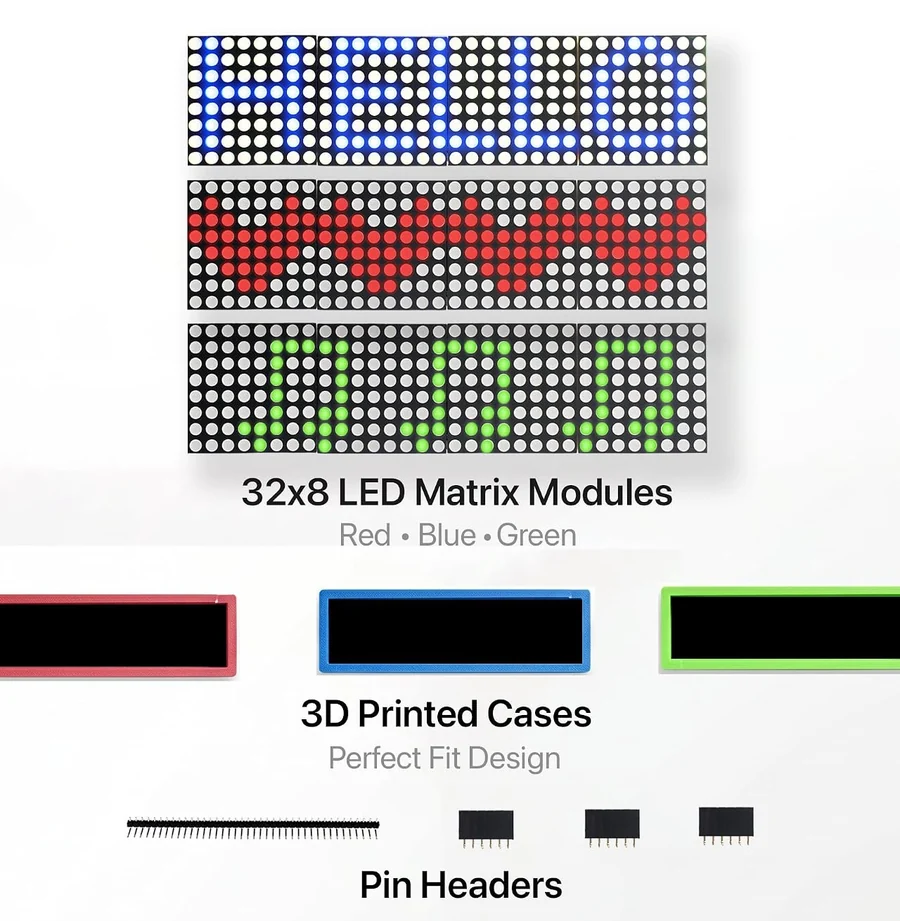
The last one is why the box has three boards in it.
The code
A stopwatch counting MM:SS since the board powered on, standing still on one board. It needs no clock chip and no network — millis() is the board's own millisecond counter — so it is the shortest way to see a live value on the display.
// Wiring for this sketch. Use the header marked IN, on the back of the board.
//
//   ESP32-S3 5V   -> VCC        Uno 5V  -> VCC
//   ESP32-S3 GND  -> GND        Uno GND -> GND
//   ESP32-S3 GPIO 10 -> CS      Uno D10 -> CS
//   ESP32-S3 GPIO 11 -> DIN     Uno D11 -> DIN
//   ESP32-S3 GPIO 12 -> CLK     Uno D12 -> CLK
//
// Arduino IDE: Tools > Manage Libraries, install "MD_Parola" by majicDesigns
// and let it install MD_MAX72XX with it. Then:
//   Tools > Board:  "Arduino Uno", or an ESP32-S3 board from the esp32 core
//   Tools > Port:   whichever port appears when you plug the board in

#include <MD_Parola.h>
#include <MD_MAX72XX.h>
#include <SPI.h>

#define HARDWARE_TYPE MD_MAX72XX::FC16_HW
#define MAX_DEVICES 4
#define DATA_PIN 11
#define CLK_PIN  12
#define CS_PIN   10

MD_Parola display = MD_Parola(HARDWARE_TYPE, DATA_PIN, CLK_PIN, CS_PIN, MAX_DEVICES);

char timeBuf[6];                 // "MM:SS" plus the end-of-string marker
unsigned long lastUpdate = 0;

void updateTime() {
  unsigned long totalSeconds = millis() / 1000;
  int minutes = (totalSeconds / 60) % 100;
  int seconds = totalSeconds % 60;
  sprintf(timeBuf, "%02d:%02d", minutes, seconds);
}

void setup() {
  display.begin();
  display.setIntensity(5);
  display.displayClear();
  display.setTextAlignment(PA_CENTER);
  updateTime();
  display.print(timeBuf);
}

void loop() {
  // A non-blocking timer: check whether a second has passed, rather than
  // sleeping through it. Nothing else in the sketch gets held up.
  if (millis() - lastUpdate >= 1000) {
    lastUpdate = millis();
    updateTime();
    display.print(timeBuf);
  }
}
Swap updateTime() for an NTP query on an ESP32, or for a DS3231 reading on either board, and the rest of the sketch is unchanged. The display does not care where the five characters came from.
When it does not work
The text is wider than 32 columns. In a fixed-width font that happens at five characters; in a proportional one it depends which characters. Show four, scroll it, or chain a second board for a 64-column display.
That is the framebuf font: every character gets an 8-pixel cell, so four of them fill the screen exactly and the fifth is drawn off the right-hand edge. Show HHMM without the colon, or scroll the time using the pattern from the scrolling article.
Something in loop() is taking longer than a second. The millis() comparison only fires when the loop reaches it, so a blocking network call or a long delay() makes the clock lurch. Keep the loop short.
millis() counts milliseconds since power-on and wraps after about 49 days, and any reset starts it again. It is a stopwatch, not a clock — for a real time of day, use an RTC module or fetch the time over the network.
The boards that put a 3.3 V signal above the MAX7219's 3.5 V threshold, and which of them to use for three push-pull wires.
Logic level converters →Edit this page — content/books/matrix-32x8/a-clock-that-fits.mdx
Questions about this product
See what other owners have asked, and read their solutions.
32x8 LED Matrix MAX7219, 3-Pack
Loading discussions…
Discuss this article
Ask about this page. The answer stays here, on the page it belongs to, for whoever hits the same wall next.