Blink the RGB LED
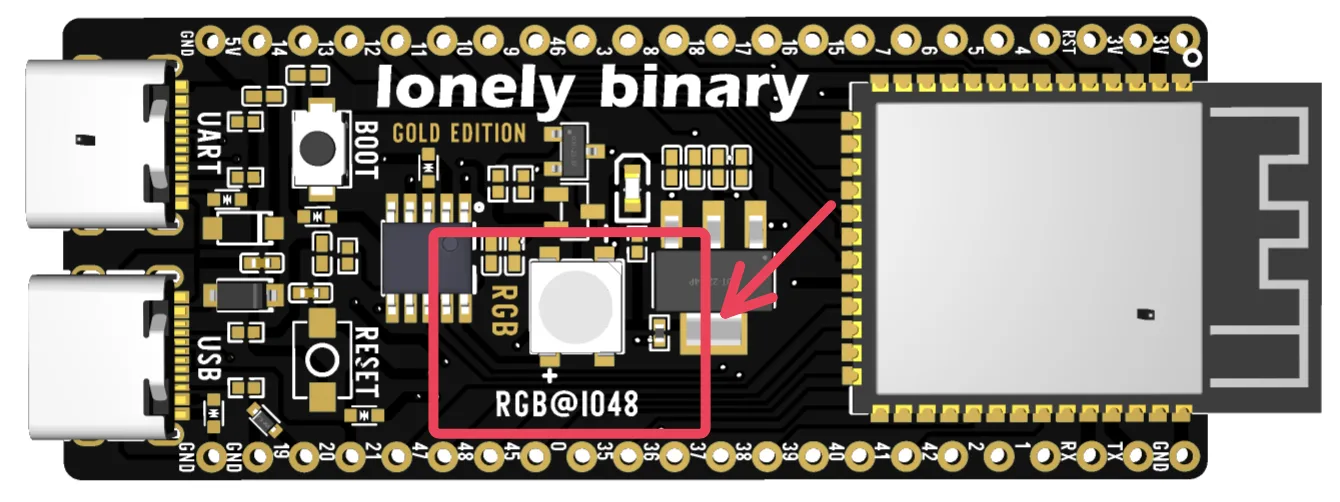
The LED on this board is not the kind digitalWrite can light. It is a WS2812 on GPIO 48 — one wire, twenty-four bits, and a library — which is why the blink sketch everyone copies first appears to do nothing.
Why the usual blink sketch does nothing
Copy an ESP32 blink example onto this board and nothing happens. The example
does digitalWrite(LED_BUILTIN, HIGH), and on this board GPIO 48 is not wired
to a plain LED. It is wired to a WS2812: a tiny controller with an RGB LED
attached, which listens for a message.
Holding a pin high is not a message. So the sketch runs perfectly and the LED stays dark, and people conclude the board is faulty on their first evening.
One wire, twenty-four bits
The WS2812 takes three bytes — one per colour — clocked in on a single pin with timing measured in hundreds of nanoseconds. Green goes first.
digitalWrite. Brightness is not a fourth byte: it scales all three before they are sent.That green-first order is the whole reason the third parameter of addLeds is
GRB. Set it to RGB and the LED still takes the first byte it receives as
green, so red and green swap — while white, which is all three at full, keeps
looking exactly right. The mistake passes the test people run to check for it.
Brightness is not a fourth byte. setBrightness scales the three values before
they are sent, so 40 out of 255 is not a dimmer switch — it is just smaller
numbers going down the same wire.
Install FastLED
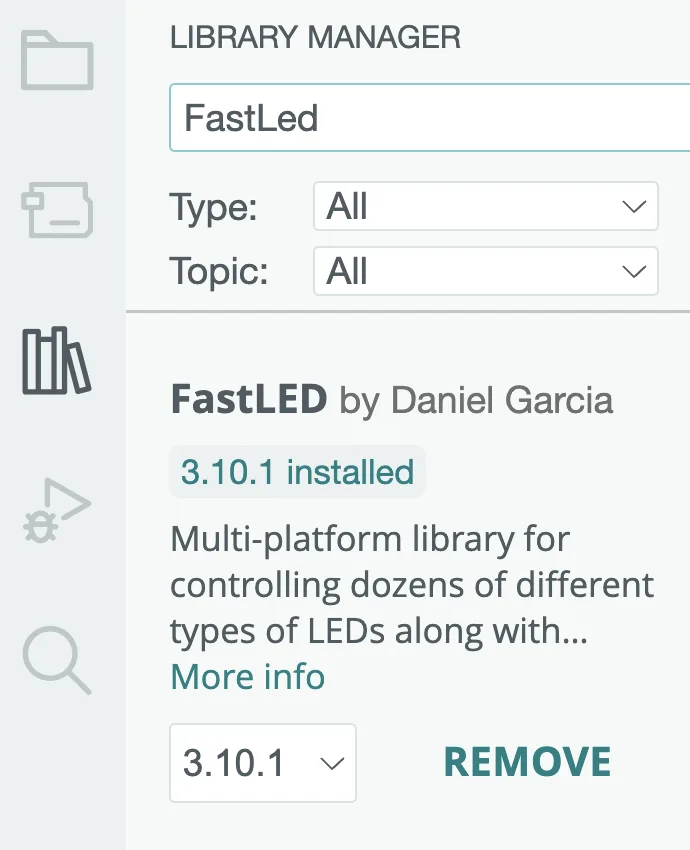
Sketch ▸ Include Library ▸ Manage Libraries, search FastLED, and install
the one by Daniel Garcia.
Adafruit_NeoPixel does the same job with different spelling. Either is fine;
the samples here use FastLED.
What you should see
Upload, and the LED runs red, off, green, off, blue, off, forever. If it does, the whole chain works: the IDE, the package, the port, the upload and the board.
Two things worth doing before you move on:
- Change
BRIGHTNESSto255and upload again. It is unpleasantly bright, and the point is that you now know what the top of the range feels like. - Change
GRBtoRGBand upload again, so you have seen the swap once, deliberately. The next time somebody's "faulty" LED shows the wrong colour you will know where to look in ten seconds.
The code
Red, green, blue, one second each. Install FastLED first — Sketch ▸ Include Library ▸ Manage Libraries, search FastLED, install the one by Daniel Garcia.
/*  Lonely Binary ESP32-S3 N16R8 — the on-board RGB LED
    Tools ▸ Board ESP32S3 Dev Module · USB CDC On Boot Enabled
    Library: FastLED by Daniel Garcia                        */

#include <FastLED.h>

#define LED_PIN     48        // printed on the board as RGB@IO48
#define NUM_LEDS    1
#define BRIGHTNESS  40        // 0–255; 255 is uncomfortable to look at

CRGB leds[NUM_LEDS];

void setup() {
  FastLED.addLeds<WS2812, LED_PIN, GRB>(leds, NUM_LEDS);
  FastLED.setBrightness(BRIGHTNESS);
  FastLED.clear();
  FastLED.show();
}

void flash(CRGB colour) {
  leds[0] = colour;
  FastLED.show();
  delay(1000);
  leds[0] = CRGB::Black;
  FastLED.show();
  delay(400);
}

void loop() {
  flash(CRGB::Red);
  flash(CRGB::Green);
  flash(CRGB::Blue);
}
GRB, not RGB, in the addLeds line. That is the order the LED expects its bytes in, and getting it wrong swaps red and green while leaving white looking perfect — which is why the mistake survives a test.
When it does not work
Check three things in this order. LED_PIN is 48; brightness is not 0; and you called FastLED.show() after setting the colour — setting leds[0] only changes a variable, and show() is what puts it on the wire. A sketch that sets a colour and never calls show is the commonest version of this.
The byte order in addLeds is wrong. It must be GRB. The LED takes the first byte it receives as green whatever your sketch called it, so RGB there swaps two of the three channels — and leaves white looking exactly right.
WS2812 timing is tight, and something else holding the CPU — a long interrupt, a blocking Wi-Fi call — pushes the pulses out of spec. Try it in a sketch on its own before blaming the LED.
Correct, and expected. The pin is not connected to an LED, it is connected to a chip that reads a serial protocol. Holding the line high is not a message it understands.
The LED proves the toolchain works. The next sketch proves the board is the one you paid for — and finds the two settings that quietly make it smaller.
Check the 16 MB and the 8 MB →Edit this page — content/boards/esp32-s3/blink-the-rgb-led.mdx
Questions about this product
See what other owners have asked, and read their solutions.
ESP32-S3 Gold Edition (N16R8)
Loading discussions…
Discuss this article
Ask about this page. The answer stays here, on the page it belongs to, for whoever hits the same wall next.