No port, or no upload
Two different failures that get reported as one. If no port appears the cable is the answer nine times out of ten; if the port is there and the upload fails, it is the order you press two buttons in.
First, which failure is it
They get reported together and they have nothing in common.
- No port in Tools ▸ Port. Nothing has reached your computer. The board may be running happily.
- A port, and the upload fails. Something did reach your computer, so the cable and the driver are fine. The chip is not in download mode, or the link is not reliable enough to finish.
Work out which one you have before you change anything, because every fix below is useless against the other failure.
No port: it is the cable
A USB-C cable that carries power and not data is the most misleading part in the whole hobby, because everything visible works. The board lights up. The regulator works. The chip boots and runs your last sketch. And no port ever appears, because nothing that could create one ever reached the computer.
The test people run — plug it in, see the LED, conclude the cable is fine — tests exactly the half that was never in question. The real test is to move a file with it.
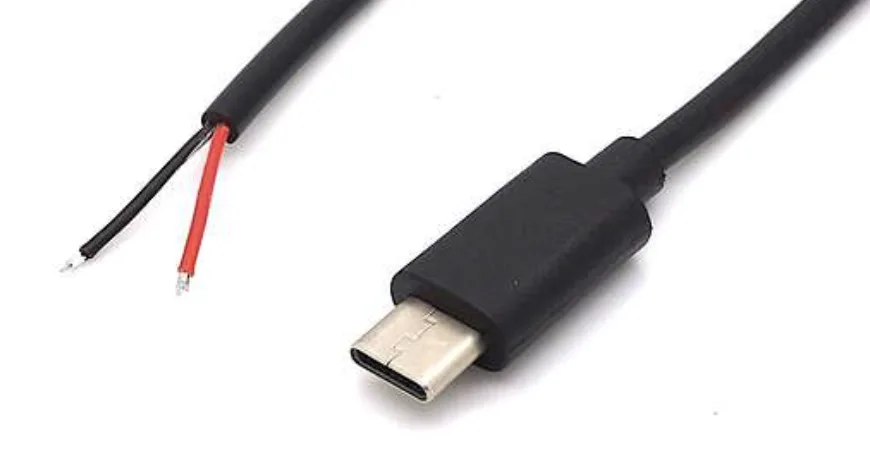
In order, then:
- Swap the cable for one you have moved a file with. On Windows, listen: a data device makes the connection sound, a power-only one does not.
- Try the other socket on the board. If the right-hand one is silent, the left-hand one may not be, and the reverse.
- Try a different USB socket on the computer, preferably one on the back of a desktop. Hubs and front-panel sockets are where marginal cables fail.
- Try a different computer. Not to fix it, but to answer the only question left: is it the board, or is it this machine.
- If you are on the left-hand socket, check the driver. That is Windows or macOS, and it applies to that socket only.
If a known-good cable works on one socket and does nothing on the other, stop here and read the diode article.
A port, and the upload fails
The chip has to be in download mode to accept an upload, and it decides which mode to start in by reading the BOOT pin at one instant: the moment RESET is released. Once. That is the whole mechanism.
Most of the time you never touch a button — the USB chip performs that sequence on the board's behalf when you click Upload. When it does not, you do it by hand, and the order is the trick:
- Hold BOOT down.
- Press and release RESET, still holding BOOT.
- Let go of BOOT and click Upload.
Doing it the other way round — RESET first, then BOOT — does nothing at all, because by the time BOOT goes down the decision has been taken and the sketch is already running.
When it still fails
Slow the upload down. Tools ▸ Upload Speed → 115200. If a slow upload
works and a fast one does not, that is a cable answer, not a board answer.
Close everything else holding the port. A Serial Monitor in a second IDE
window, a terminal, a stray screen session. On Windows this reports as
"Access denied"; on macOS it reports as a hang.
Read the actual error. Failed to connect is a mode problem, Access denied is another program, Port not found is a port that vanished between
selecting it and clicking Upload — all three have different fixes, and all three
get described as "upload doesn't work".
When it does not work
The chip never entered download mode. Hold BOOT, tap RESET, release RESET, keep holding BOOT for another second, then click Upload. If that works every time, the auto-reset circuit is not doing its job — usually a cable with poor DTR/RTS handling.
Not a mode problem — a link problem. Drop Upload Speed to 115200 and try again. A long or thin cable that is fine for power fails at 921600, and the symptom is exactly this — connects, starts, stops.
That is the native USB port going away with the sketch and coming back as it runs. Normal on the right-hand socket. Use the left-hand one if it makes the IDE lose track.
A brownout, not an upload fault. The radio pulls hard the first time it transmits and a tired charger or a long cable cannot follow. Try a shorter cable and a different supply before touching your code.
If a known-good cable powers and programs the board on one socket and does nothing at all on the other, stop testing cables. That is the series diode on the dead socket, and it is the next article.
The third failure, and the most misleading — everything works, and the Serial Monitor stays empty.
No serial output →Edit this page — content/boards/esp32-s3/no-port-or-no-upload.mdx
Questions about this product
See what other owners have asked, and read their solutions.
ESP32-S3 Gold Edition (N16R8)
Loading discussions…
Discuss this article
Ask about this page. The answer stays here, on the page it belongs to, for whoever hits the same wall next.