Specifications
| Type | CAN bus transceiver, ISO 11898-2 high-speed physical layer. It carries a CAN controller's frames onto CANH and CANL; it is not a controller itself |
|---|---|
| Chip | SN65HVD230 (Tokmas SN65HVD230DR, a second source of TI's part), SOIC-8 |
| Supply | 3.0 to 3.6 V on 3V3: a 3.3 V board. CTX and CRX take at most 0.5 V above the supply, so the board is for 3.3 V logic only, never 5 V |
| Host | A microcontroller with a CAN controller: every ESP32 (Espressif calls it TWAI), many STM32. An Arduino Uno has none |
| Header | 4-pin right-angle male, 2.54 mm: GND, 3V3, CTX (chip D, to your CAN TX pin), CRX (chip R, to your CAN RX pin). Straight across |
| Bus | CANH, GND, CANL on a 5.0 mm screw terminal and again on 3 male pins, the same three nets |
| Termination | 120 Ω across CANH and CANL on every board. Keep it on the two boards at the ends of the cable and remove it from the rest |
| Speed | Tested at 500 kbit/s. The chip is rated to 1 Mbit/s; this board's 10 kΩ slope control slows its edges, so 1 Mbit/s suits only a short bus |
| Bus range | −2 V to +7 V common mode, so GND runs with the pair; ±16 kV ESD on the bus pins; up to 120 nodes by TI's figure |
| Board | 22.4 × 30.4 mm TinkerBlock board, two LEGO-compatible holes 16 mm apart, red power LED |
| In the box | 6 × TK109 CAN bus block, headers fitted |
What it does
CAN is a bus that every board shares as an equal: any board can send, every board hears every message, and when two start together the bus decides who goes first without spoiling either. It runs in cars and factories because it sends each bit as a difference between two wires, CANH and CANL, which noise cannot easily change.
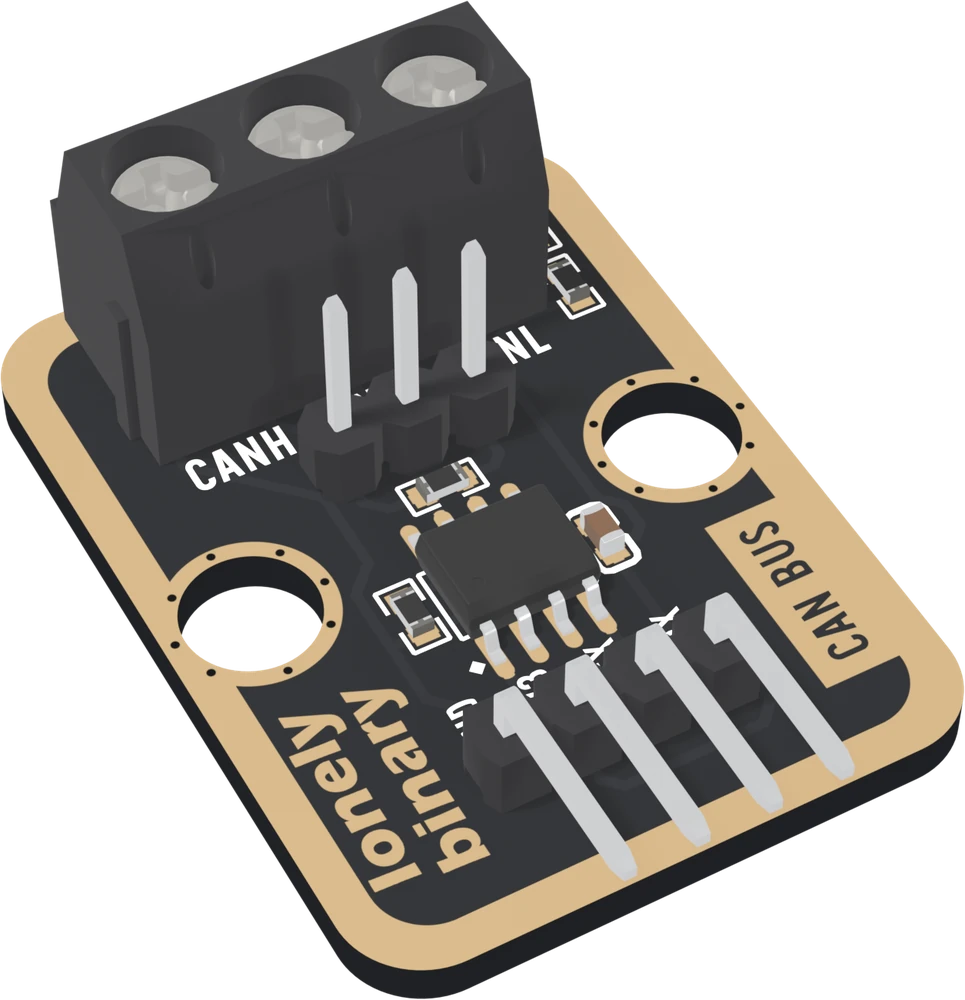
The TK109 is the part between a microcontroller's CAN controller and those two wires: an SN65HVD230 transceiver, a 120 Ω terminator, and connections for the bus. The controller has to come from the microcontroller, and every ESP32 has one.
Two things to know before wiring
- CTX and CRX go straight across: CTX to your CAN TX pin, CRX to your CAN RX pin. And the board is 3.3 V only.
- The 120 Ω across CANH and CANL is fitted on every board. Keep it on the two boards at the ends of the cable and take it off the rest.
Wiring, in four lines
- GND to GND, 3V3 to 3V3.
- CTX to the CAN TX pin, CRX to the CAN RX pin (GPIO 8 and 9 on the book's ESP32-S3).
- CANH to CANH, CANL to CANL, on one twisted pair, and GND to GND with them.
- At least two boards on the bus, all at the same bit rate.
Where to start
The handbook below is nine short articles. Read What is on the board before wiring, Every message is acknowledged before testing with one board, and The 120 Ω resistor before building a bus of more than two. The first message is two ESP32-S3 boards talking in one sketch.
When it doesn’t work
- Does it work with an Arduino Uno?
- Not on its own. The Uno has no CAN controller and runs 5 V logic, which this board's pins cannot take. Use an ESP32, which has the controller built in, or add a CAN controller chip and a level shifter to the Uno.
- Do I cross CTX and CRX?
- No. They are named from the microcontroller's side: CTX to your CAN TX pin, CRX to your CAN RX pin, straight across.
- Do I need to remove the 120 Ω resistor?
- Only on boards in the middle of a bus. Keep it on the two boards at the ends of the cable. With two boards, keep both; with all six on one cable, remove it from the four between.
- Why does my single board keep reporting errors?
- Every CAN frame must be acknowledged by another board. Alone, a sender resends each frame and counts an error every time. Add a second board running a sketch that starts its CAN controller at the same bit rate.
- Do I need to connect GND between boards?
- Yes. The receiver needs CANH and CANL within −2 V to +7 V of its own ground, and boards on separate supplies share no ground unless a wire gives them one. Run GND with CANH and CANL, which go on one twisted pair.
- How fast and how far?
- About 100 m at 500 kbit/s, the rate the boards were tested at, and further at slower rates: about 500 m at 125 kbit/s. 1 Mbit/s is the chip's rating and suits a short bus on this board.