Specifications
| Type | Passive piezo buzzer |
|---|---|
| Frequency | Set by the driving signal, roughly 100 Hz–5 kHz useful |
| Control | `tone()` or PWM |
| Supply voltage | 3.3 V or 5 V |
What it is
A piezo disc and nothing else. It moves when the voltage across it changes, so a square wave at 440 Hz gives you an A.
tone(pin, frequency) on Arduino generates that square wave in the background
and returns immediately, which means the note keeps playing while your loop does
other things. noTone(pin) stops it. Playing a melody is a table of frequencies
and durations.
The cost is a hardware timer. On an Uno tone() takes Timer2, so PWM on pins 3
and 11 stops working while a note is playing — the same conflict the IR library
causes, for the same reason. On the ESP32 use ledcWriteTone instead, which
takes an LEDC channel rather than a timer.
Piezo output is loudest near its resonant frequency, usually a few kilohertz, and weak in the bass. A melody written low will be nearly inaudible.
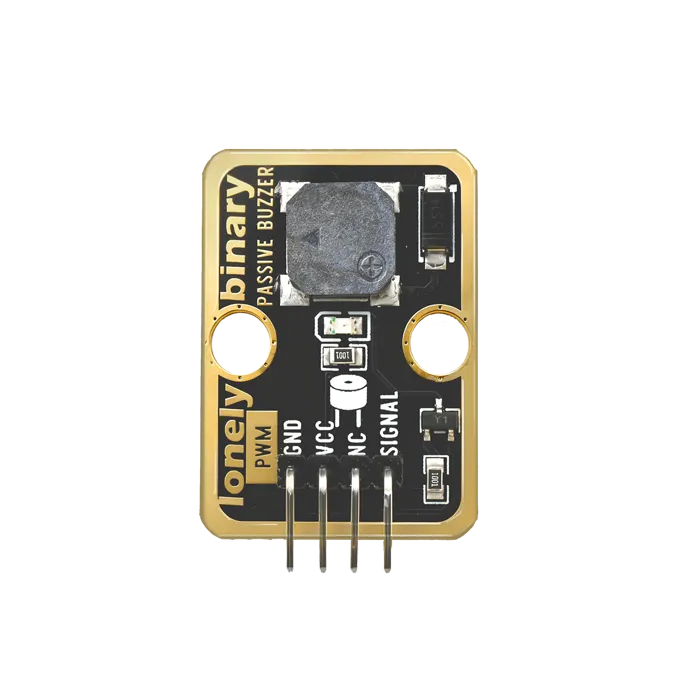
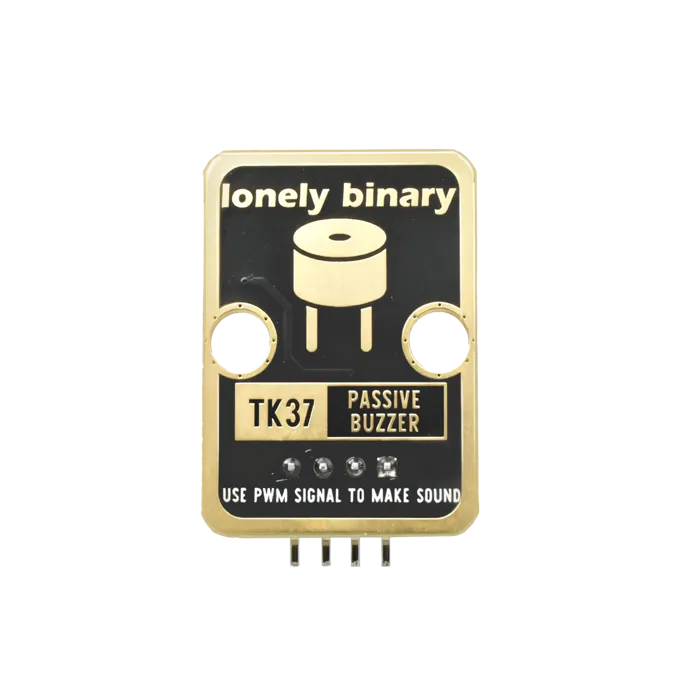
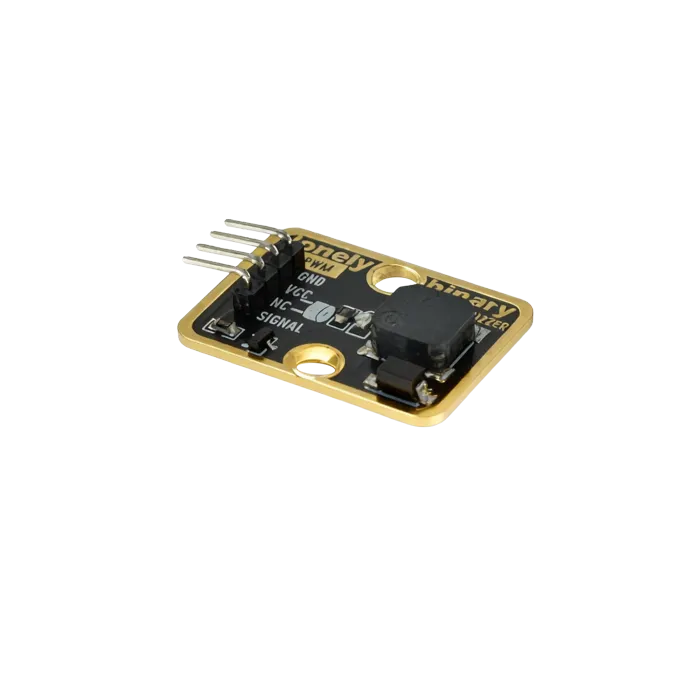
Pinout
- GND (negative): Like the negative terminal (-) of a battery, connect to the control board's GND
- VCC (positive): Like the positive terminal (+) of a battery, connect to the control board's 3.3V or 5V (this module supports both 3.3V and 5V)
- NC (no connection): No actual circuit connection, included for unified interface, can be left unconnected
- SIGNAL (signal input): Pin to control buzzer, connect to the control board's digital pin (e.g. Arduino D3 or Pico GPIO 0)
- Requires square wave signals of different frequencies to emit sound
- Higher frequency = higher pitch
- Lower frequency = lower pitch
Wiring
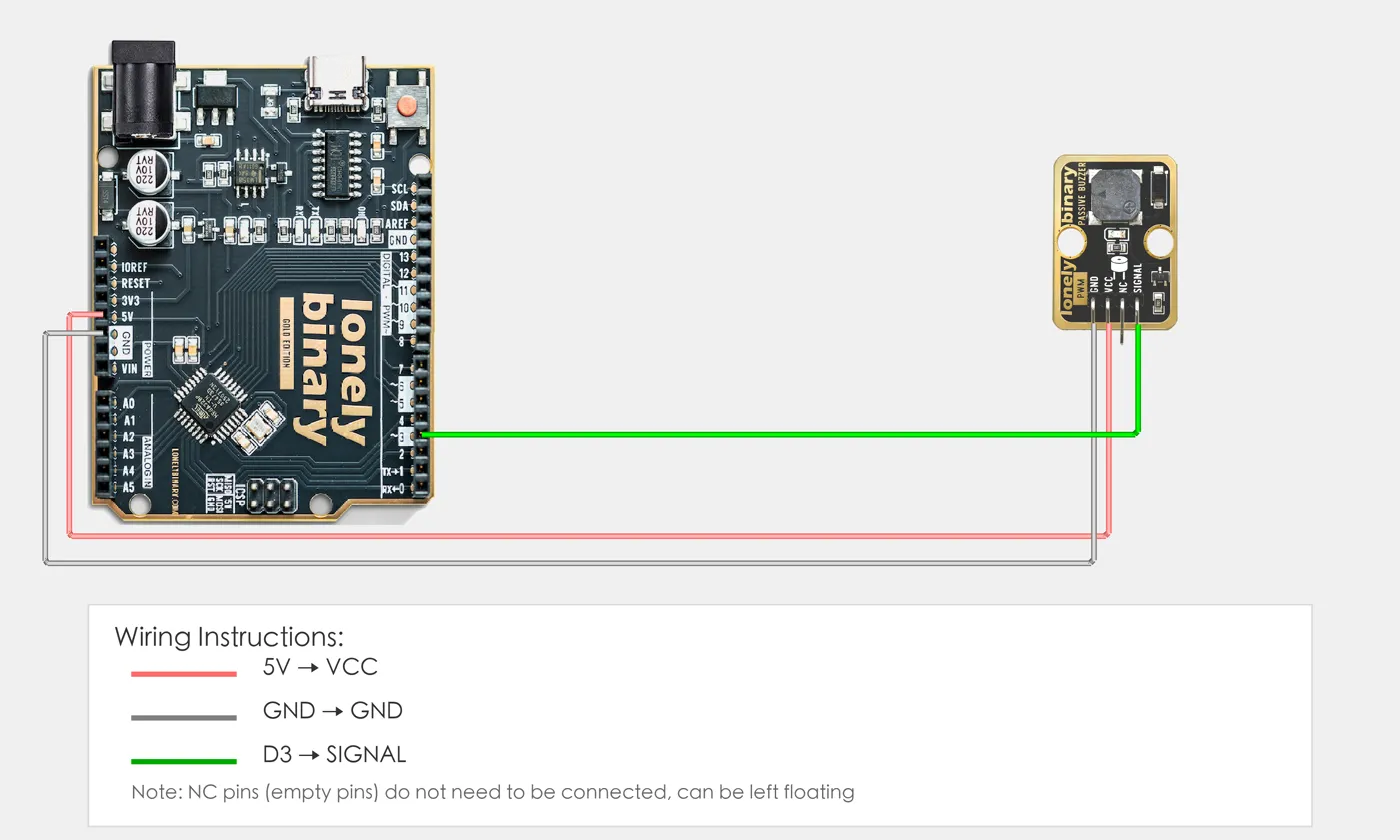
- GND → Control board GND
- VCC → Control board 3.3V or 5V
- SIGNAL → Control board digital pin (use the pin defined in your program)
Example
// Pin number: change this to match your wiring
#define BUZZER_PIN 3  // Arduino digital pin connected to SIGNAL (e.g. D3)

void setup() {
  // Start serial for debugging (9600 baud)
  Serial.begin(9600);

  Serial.println("Passive buzzer program started");
}

void loop() {
  // Play scale: Do Re Mi Fa Sol La Si
  // C4=262Hz, D4=294Hz, E4=330Hz, F4=349Hz, G4=392Hz, A4=440Hz, B4=494Hz

  int notes[] = {262, 294, 330, 349, 392, 440, 494};  // Scale frequencies
  String noteNames[] = {"Do", "Re", "Mi", "Fa", "Sol", "La", "Si"};  // Note names

  for (int i = 0; i < 7; i++) {
    tone(BUZZER_PIN, notes[i]);  // Play sound at specified frequency
    Serial.print("Playing: ");
    Serial.print(noteNames[i]);
    Serial.print(" (");
    Serial.print(notes[i]);
    Serial.println(" Hz)");
    delay(500);  // Each note plays for 0.5 seconds
  }

  noTone(BUZZER_PIN);  // Stop playing
  Serial.println("Playback complete, waiting 0.5 seconds before repeating");
  delay(500);
}# Import required modules
from machine import Pin, PWM # GPIO control and PWM
import time # For delay (time.sleep)
# Pin number: change this to match your wiring
BUZZER_PIN = 0 # GPIO connected to SIGNAL (e.g. GPIO 0)
# Create PWM object
buzzer = PWM(Pin(BUZZER_PIN))
print("Passive buzzer program started")
# Main loop: runs forever
while True:
# Play scale: Do Re Mi Fa Sol La Si
# C4=262Hz, D4=294Hz, E4=330Hz, F4=349Hz, G4=392Hz, A4=440Hz, B4=494Hz
notes = [262, 294, 330, 349, 392, 440, 494] # Scale frequencies
note_names = ["Do", "Re", "Mi", "Fa", "Sol", "La", "Si"] # Note names
for i in range(7):
buzzer.freq(notes[i]) # Set frequency
buzzer.duty_u16(32767) # Set duty cycle to 50% (32767 is half of 65535)
print(f"Playing: {note_names[i]} ({notes[i]} Hz)")
time.sleep(0.5) # Each note plays for 0.5 seconds
buzzer.duty_u16(0) # Stop playing (duty cycle = 0)
print("Playback complete, waiting 0.5 seconds before repeating")
time.sleep(0.5)When it doesn’t work
- It clicks instead of playing a note.
- You are toggling the pin in a loop rather than using `tone()`, and the loop is not fast or regular enough. Use `tone()`, or `ledcWriteTone` on ESP32.
- PWM on another pin died.
- `tone()` claims a hardware timer, and that timer drives specific PWM pins. Move the affected output.
- Low notes are almost silent.
- Piezo elements peak near resonance, a few kHz, and roll off badly below that. Transpose the melody up an octave.