More than one display
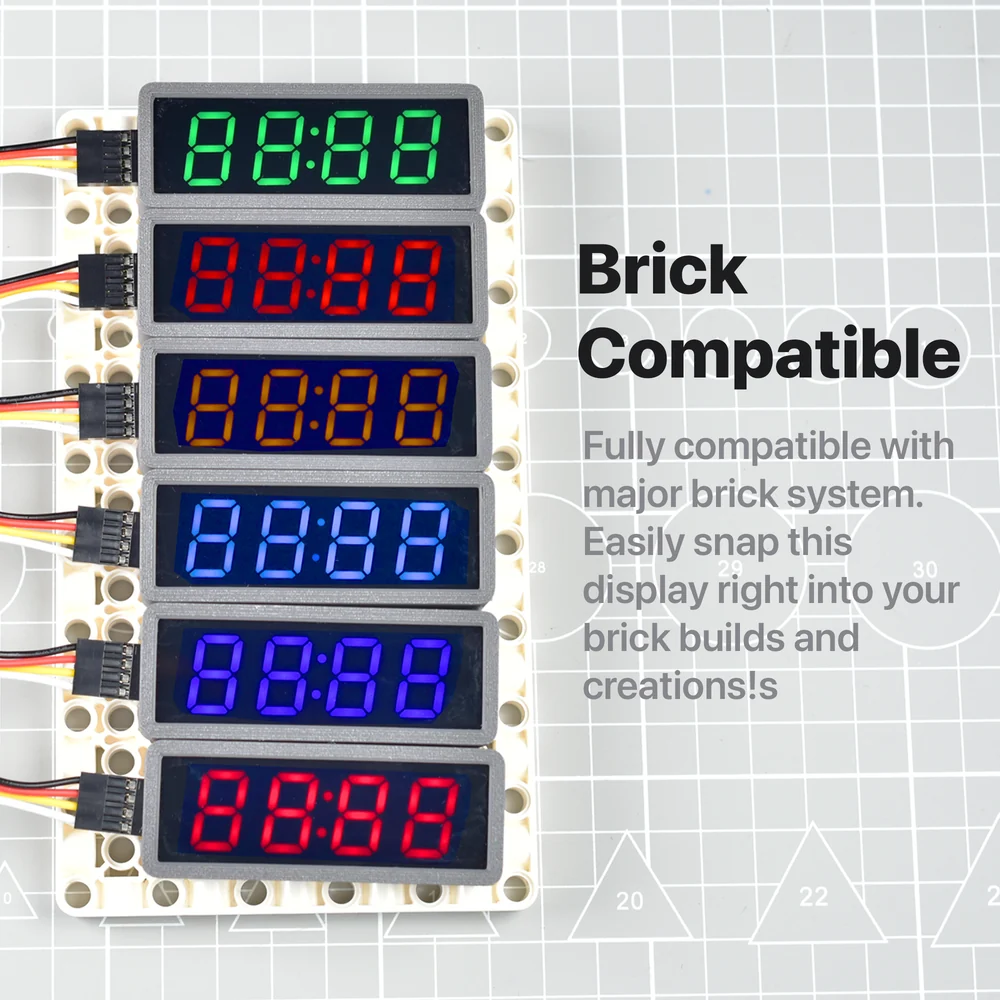
Six displays cost seven pins, not twelve: they share one CLOCK and take a DATA pin each. The trap is the row of spare holes, which carry the same DATA and turn the second display into a copy of the first.
One clock, one data line each
The back of the board says it: DISPLAYS CAN BE CHAINED, SHARING THE SAME CLOCK LINE BUT SEPARATE DATA LINES.
It works because of the thing that looked like a limitation two articles ago. A display starts listening only when its own DATA falls while CLOCK is high. Tie six displays to one clock pin and, while you are talking to the first, the other five see the clock wiggling and their own DATA sitting quietly high — which is not a start condition, so they ignore all of it.
In code, one object per display, all sharing the clock pin:
#define CLOCK_PIN 2
TM1637Display left(CLOCK_PIN, 3);
TM1637Display right(CLOCK_PIN, 4);

void setup() {
  left.setBrightness(4);
  right.setBrightness(4);
  left.showNumberDec(12);
  right.showNumberDec(34);
}
Six displays on an Uno: pins 2 to 8, and D0 and D1 still free for the serial port.
The spare holes are not a chain
The four holes at the far end of each board are the same four nets as the header. Same GND, same VCC, same CLOCK — and the same DATA.
So wiring the next display from them gives you two displays on one data line, which means two displays showing the identical number. Nothing warns you; it looks like a software problem and it is a wiring one.
Which is occasionally useful. Two panels at opposite ends of a room showing the same reading is a real thing to want, and this is the cheapest way to build it. But if the second display is meant to show something of its own, its DATA has to come from a second pin on your board.
Power and clock are a different matter: passing GND, VCC and CLOCK along through the spare holes is exactly what they are for.
What six of them cost
Two things, neither of them pins.
Time. Each update spends about 21 ms in the library's delays, so refreshing
six displays every pass through loop() is 125 ms in which the sketch does
nothing else. The usual fix is not to: keep the last value shown for each
display and write only the ones that changed.
Current. Six panels showing 8888 at brightness 7 is this board's worst
case, and it all comes through whatever is feeding VCC. Give them the supply
rail rather than a chain of jumper wires through six boards, and if the digits
dim when the sixth one lights, that is the wire and not the code.
When it does not work
They are sharing a DATA line — almost always because the second one was wired from the first board's spare holes, which are the same four nets rather than a pass-through. Run a separate wire from a second pin on your board to the second display's DATA.
Each display needs its own TM1637Display object with its own DATA pin, and both objects need the brightness set and something shown. A second object constructed but never given a setBrightness and a number stays blank.
Each update blocks for about 21 ms in the library's own delays, so six is an eighth of a second with nothing else happening. Update only the displays whose value changed, or shorten the delay with the constructor's third argument.
Check the supply before the code. Six panels showing 8888 at full brightness is the most current this arrangement will draw, and a long thin jumper wire from one 5V pin to all six is where the voltage sags. Power them from the supply rail rather than daisy-chaining through six boards.
An ESP32, a clock panel and the time from the internet — with a colon that blinks once a second.
A clock that sets itself →Edit this page — content/books/tm1637-display/more-than-one-display.mdx
Questions about this product
See what other owners have asked, and read their solutions.
This page covers several products. Choose yours to see the right discussions.
Discuss this article
Ask about this page. The answer stays here, on the page it belongs to, for whoever hits the same wall next.