A spring and a rod
The clear block along the top holds a coiled spring around a metal rod, not quite touching it. A knock makes the spring swing, touch the rod, bounce off and touch again, and each touch joins SIGNAL to VCC for a moment. It tells you that something shook the board, not how hard.
What is inside the clear block
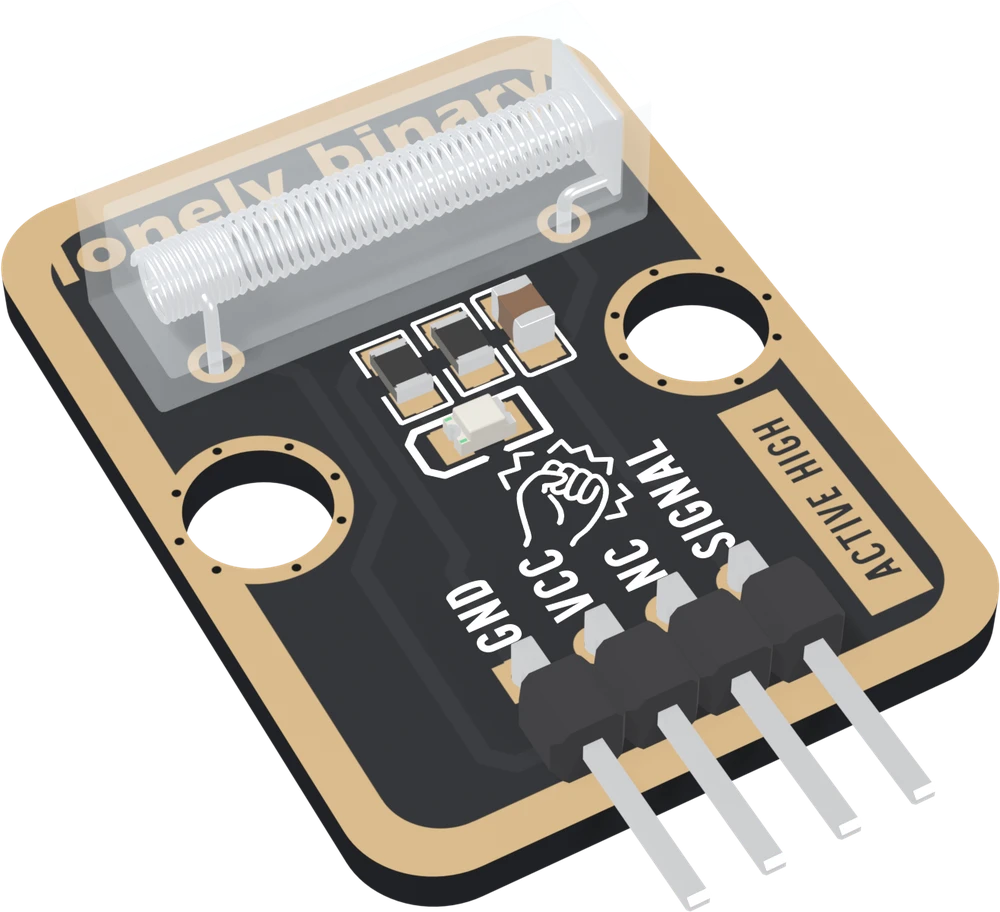
The switch is a clear plastic body 18.2 mm long, lying flat along the top of the board. Inside it a coiled spring, held at one end, hangs around a metal rod that runs down its middle. At rest the two do not touch. Each is wired to one of the switch's two legs: one leg goes to VCC, the other to SIGNAL.
Knock the board and the spring, which is light and held only at one end, keeps moving a moment after the board stops. It swings across, touches the rod, springs off, swings the other way and touches again, a little less each time, until it no longer reaches.
Press Knock once. Every touch joins SIGNAL to VCC, so SIGNAL goes HIGH and the red LED on the board flashes, and between touches SIGNAL falls back to 0 V. One knock is not one pulse: it is a short burst of them, over in a moment. The timing in the figure is illustrative, because it depends on how hard the knock is and what the board is fixed to; the shape is what every sketch in this book is written around.
What it can tell you, and what it cannot
A knock sensor answers one question: did something shake the board hard enough to swing the spring onto the rod? It cannot say how hard, because the switch is either touching or it is not. It cannot say from which direction. It does not say how long the shaking lasted, except roughly, by how many pulses arrive.
That is enough for a lot: a door that was knocked, a box that was dropped, a tap on a table as a button with no button. For how hard, you need a sensor whose output grows with the impact, such as a piezo element.
The back of the board prints SENSES VIBRATIONS, and it means any vibration. The switch cannot tell your knuckle from a slammed door or a motor on the same table. Its supplier's drawing gives the size of the part and nothing else, so there is no sensitivity figure to quote. In practice what decides whether a knock registers is how much of it reaches the spring: a board fixed firmly to the door is likely to catch knocks that one lying loose on a breadboard misses.
The rest of the board
The circuit around the switch is the TK17 collision sensor's: a 10 kΩ pull-down that holds SIGNAL LOW at rest and a red LED that lights while SIGNAL is HIGH. It adds one part, a 100 nF capacitor from SIGNAL to GND. The board prints ACTIVE HIGH on its front, and it is: quiet reads LOW, a touch reads HIGH.
When it does not work
No. The switch is either touching or not, so a hard knock and a soft one give the same HIGH. A harder knock may ring for longer and give more pulses, but that depends as much on what the board is fixed to as on the knock. If you need to know how hard, a piezo sensor gives a voltage that grows with the impact.
It senses vibration, whatever causes it: the back of the board says so. Anything that shakes the surface the block sits on can swing the spring onto the rod. Mount it on the thing you mean to knock, away from motors and fans, and let the sketch ignore single knocks if stray ones are a problem.
No. There is no potentiometer on the board, and the switch's drawing gives no sensitivity figure. What decides whether a knock registers is how far the spring swings, and that depends on how firmly the board is fixed to what is being knocked.
Edit this page — content/books/knock-sensor/a-spring-and-a-rod.mdx
Questions about this product
See what other owners have asked, and read their solutions.
Knock Sensor
Loading discussions…
Discuss this article
Ask about this page. The answer stays here, on the page it belongs to, for whoever hits the same wall next.