
Three boxes, one adapter
The TinkerBlock TK85, the soft keypad 5-pack and the heavy-duty 2-pack carry the same adapter circuit. What differs is the keypad, which half of the eight-pin join each part has, and the board the adapter is built on.
Three boxes
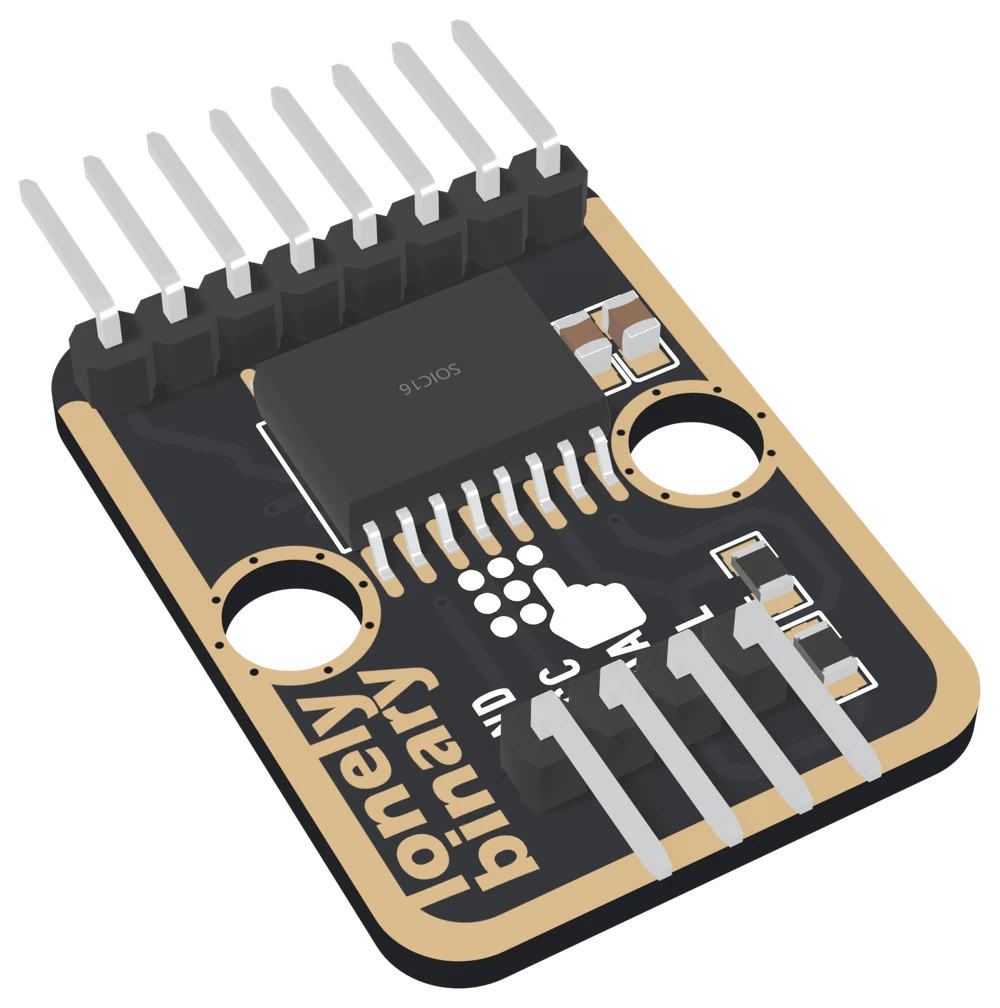
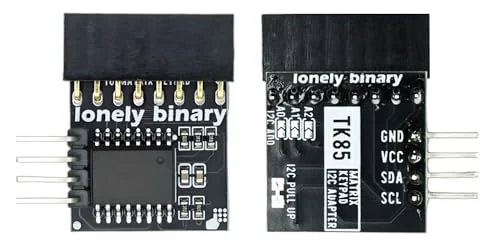
The TinkerBlock TK85 comes in the 46-piece kit. It is the adapter on a TinkerBlock board: black with a gold edge, two round holes that push onto the LEGO base plate, and TK85 printed on the back. The keypad's header of eight right-angle pins leaves its top edge and the four pins for your board leave its bottom edge.
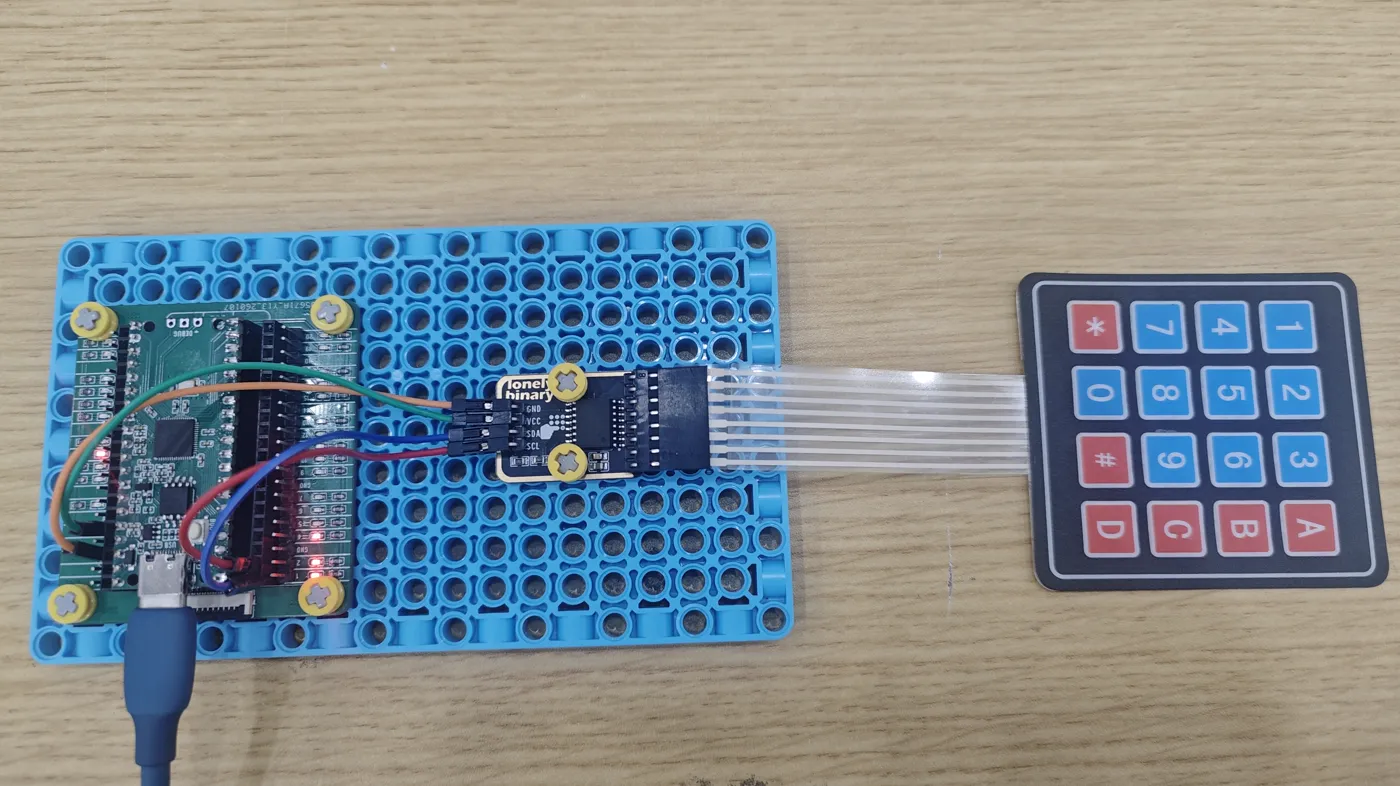
It is photographed with a soft membrane keypad, the same kind as the 5-pack's, whose ribbon socket pushes onto the top header.
The soft keypad 5-pack has five flexible membrane keypads and five adapters, in a storage box. Each keypad is 69 × 76 mm with an adhesive back, and its eight wires run down a ribbon tail that ends in a socket. Keypad and tail together are about 160 mm long.
The heavy-duty 2-pack has two keypads in a rigid plastic frame with sixteen separate raised keys, and two adapters. Each keypad has eight pins soldered along its bottom edge, and its adapter has a socket for them.
The two packs' adapters are the compact form: a bare 20 mm square, with no LEGO holes. Two forms of the adapter lines them up against the TK85.
The joins
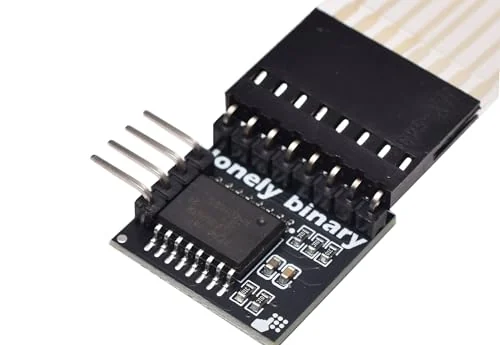
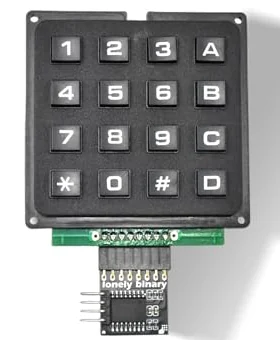
The two packs' adapters are the same board with a different connector: right-angle pins on the soft pack's, an eight-way socket on the heavy-duty pack's.
Which keymap
The two keypads bring their wires out in a different order, so they need different keymaps. The TK85 is photographed with the soft keypad, and with that keypad it uses the soft map. One adapter, two keymaps explains why, and the first keypress has both maps ready to paste.
When it does not work
The socket has no key, so it fits the adapter's pins either way up. Turned over, every key still works but the rows and columns land on different chip pins. Refit it with the keypad's face and the adapter's chip facing the same way, as in the photos, or run the keymap finder and use whatever map it prints.
The socket is one pin off, so one wire has no pin and one pin has no wire. Pull it off and line up all eight — the socket should cover the row of pins exactly, with nothing left over at either end.
Not directly: the ribbon and that adapter both end in sockets. Eight male-to-male jumper wires will join them. Keep them in order, then run the keymap finder, because a crossed pair changes which map is right.
The TK85 is photographed with a soft membrane keypad on its ribbon, and the workshop's keypad lesson expects one, but no listing of the kit says it in words. If yours has none, any 4 × 4 keypad with an eight-way tail fits the header; run the keymap finder for its map.
The TK85 and the compact adapter in the packs: the same circuit on two boards, and the one difference that changes a sketch.
Two forms of the adapter →Edit this page — content/books/matrix-keypad/three-boxes-one-adapter.mdx
Questions about this product
See what other owners have asked, and read their solutions.
This page covers several products. Choose yours to see the right discussions.
Discuss this article
Ask about this page. The answer stays here, on the page it belongs to, for whoever hits the same wall next.