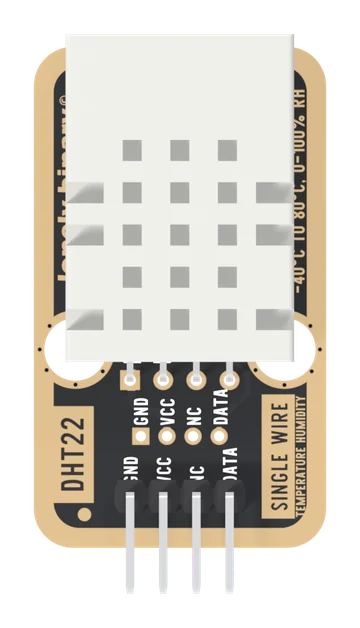
Specifications
| Type | DHT22 (also sold as AM2302) temperature and humidity sensor on a TinkerBlock board, with its pull-up fitted. The part is HAIGU's; the ratings are from Aosong's DHT22 datasheet |
|---|---|
| Temperature | −40 to 80 °C, ±0.5 °C, in steps of 0.1 °C. Below zero the top bit of the temperature word is a minus sign |
| Humidity | 0 to 100 % RH, ±2 % typical and ±5 % at most, in steps of 0.1 % |
| Supply voltage | 3.3 to 6 V. Whatever you feed VCC is what the data line idles at, so use your board's logic voltage; 3V3 is the bottom of the range |
| Sample rate | One reading every 2 s at most (datasheet: more than 2 s); Adafruit's library answers from memory inside 2000 ms |
| Current | 1 to 1.5 mA while measuring, 40 to 50 µA on standby |
| Interface | Aosong's single-wire protocol: a 1 ms start pulse, then forty bits. No addresses, so not I2C and not Dallas 1-Wire; one pin per sensor |
| Pull-up resistor | 10 kΩ from VCC to DATA, fitted, under the sensor |
| Pins to wire | 3 of the 4: GND, VCC and DATA. NC is connected to nothing on the board |
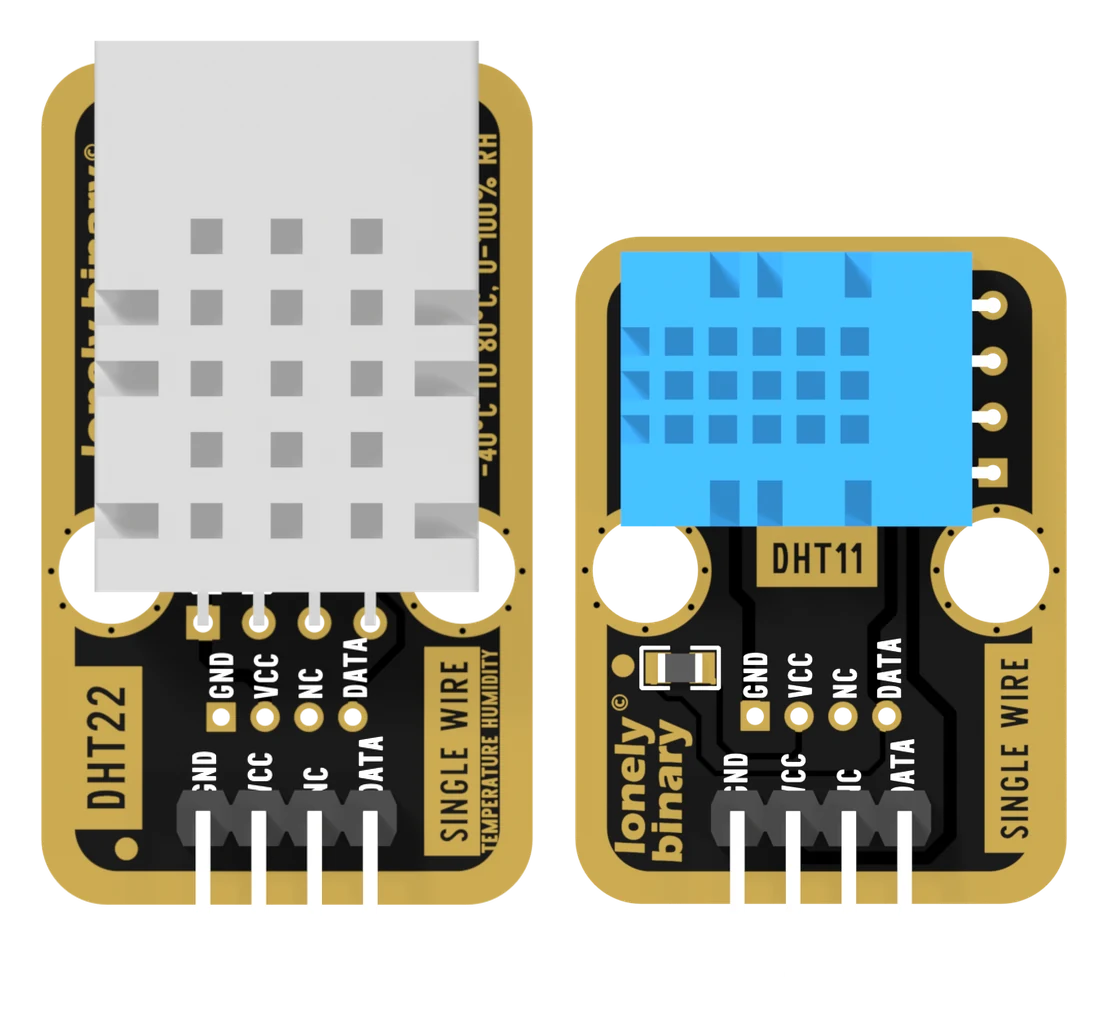
| Header | 4-pin right-angle male, 2.54 mm pitch: GND, VCC, NC, DATA, with GND on the square pad. A second row of 2.0 mm holes carries the same nets |
| Board | 22.4 × 38.4 mm, two 4.8 mm mounting holes 16 mm apart, partly under the sensor. The DHT22 lies flat, grille up. The back prints TK39 DHT22 |
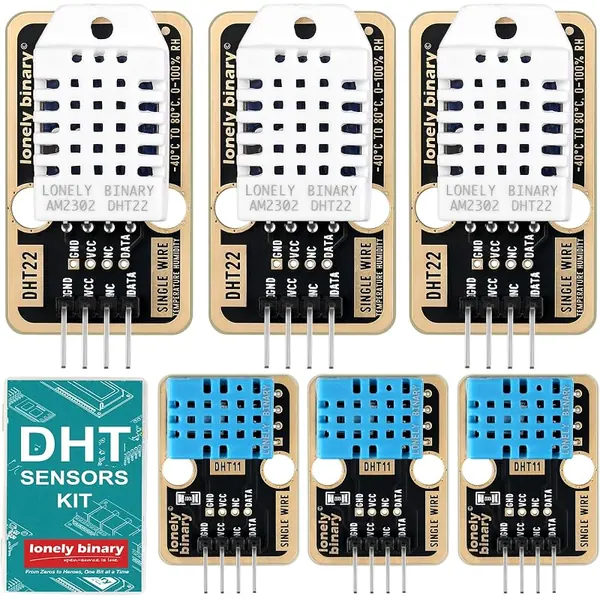
| In the box | The DHT sensor kit: 3 × TK39 DHT22 and 3 × TK38 DHT11 blocks, in a case |
What it does
Two numbers on one wire, in tenths. The white DHT22 holds a capacitive humidity element, a temperature element and a small microcontroller that reads both, applies its factory calibration and sends the result as forty bits when your board asks. It goes below freezing, to −40 °C, with a sign bit for the minus.
The board adds the 10 kΩ pull-up the protocol needs and a header in a fixed order, so there is nothing to add. It is the TK38's circuit with the better sensor on it: the same three nets, the same four pins, 8 mm longer.
The DHT sensor kit
The TK39 ships in the DHT sensor kit: three TK39s and three TK38s, the DHT11 version, in a case. The DHT11 is the cheaper sibling, good to ±2 °C from 0 to 50 °C in whole degrees, and it has its own handbook.
Wiring, in four lines
- GND to your board's GND. It is on the square pad.
- VCC to your board's logic voltage: 5V on an Uno, 3V3 on an ESP32, ESP32-S3 or Pico.
- NC to nothing: it is connected to nothing on the board.
- DATA to D2 on an Uno, GPIO 18 on an ESP32, GPIO 4 on an ESP32-S3, GP2 on a Pico.
Then #define DHT_TYPE DHT22, and read no more than once every two seconds.
Example
Install DHT sensor library by Adafruit from the Library Manager, and
accept Adafruit Unified Sensor when it offers it. MicroPython has a
dht module built in.
#include <DHT.h>

// Uno: 2. ESP32: 18. ESP32-S3: 4. Pico: 2.
#define DHT_PIN  4
#define DHT_TYPE DHT22

DHT dht(DHT_PIN, DHT_TYPE);

void setup() {
  Serial.begin(115200);
  dht.begin();
}

void loop() {
  delay(2000);   // more than 2 s between readings, and 1 s after power-up

  float humidity = dht.readHumidity();
  float celsius  = dht.readTemperature();

  if (isnan(humidity) || isnan(celsius)) {
    Serial.println("read failed");   // nothing answered
    return;
  }
  Serial.print(celsius, 1);  Serial.print(" C  ");
  Serial.print(humidity, 1); Serial.println(" %");
}import dht, machine, time
# ESP32: 18. ESP32-S3: 4. Pico: 2.
sensor = dht.DHT22(machine.Pin(4))
while True:
time.sleep(2) # more than 2 s between readings
try:
sensor.measure()
except Exception as e:
# OSError if nothing answered, Exception for a bad checksum.
print("read failed:", e)
continue
print("{:.1f} C {:.1f} %".format(sensor.temperature(), sensor.humidity()))Where to start
The basics are in the DHT11 handbook, because the two boards share them: the four pins, the start and the answer, forty bits and a checksum and when every reading is nan.
This book is what the DHT22 changes. DHT11 or DHT22 is which board a project gets, and the first reading is the whole build. Then tenths and the sign bit for below freezing, every two seconds for logging, and the wrong type for the one-word mistake that prints a confident wrong number.
Wiring diagram
Full board reference: ESP32-S3 pinout.
When it doesn’t work
- Every reading is nan.
- Nothing answered. Count the header from the square pad, GND, VCC, NC, DATA: the third pin is connected to nothing, and one place out looks exactly like a dead sensor. Then check VCC is on a powered pin and DATA on the pin the sketch names. The DHT11 book's nan checklist covers the rest; it is the same board.
- It prints 0.0 °C and 2.0 %, and hardly changes.
- The wiring is right and the sketch says DHT11. The DHT22 answers, its bytes pass their checksum, and the DHT11 decoder reads the top byte of each 16-bit word as whole units. Change DHT_TYPE to DHT22.
- It printed −3276.7 °C on a cold night.
- A decoder read the temperature as a signed 16-bit integer. The DHT22 uses sign and magnitude: bit 15 is the minus sign and the other fifteen bits count tenths. Adafruit's library and MicroPython's dht module both decode it correctly; a hand-written decoder has to mask bit 15 and negate.
- Should VCC go to 3V3 or 5V?
- To whatever your board's pins run at: 3V3 on an ESP32, ESP32-S3 or Pico, 5V on an Uno. The board's 10 kΩ pull-up ties DATA to VCC, so from 5 V the data line idles at 5 V against a 3.3 V pin. 3.3 V is the DHT22's minimum, so keep the supply wire short.
- The reading never changes.
- You are reading faster than every two seconds, and Adafruit's library hands back its stored value without asking the sensor. Time the loop with millis() at 2.5 s or slower.
- It reads warmer and drier than my thermometer.
- The sensor is measuring what it is near. Its datasheet asks for it to be mounted as far as possible from parts that change its temperature, and a sensor two degrees warm also reads about 6 % dry. Move the block off the breadboard on longer wires, away from regulators and USB sockets, and compare after a few minutes.
- Is it the same as an AM2302?
- Yes. Aosong's datasheet is titled DHT22 and says AM2302 is another name for it, and the cage on these boards is printed AM2302 DHT22. In the library it is DHT22 either way.