What is on it
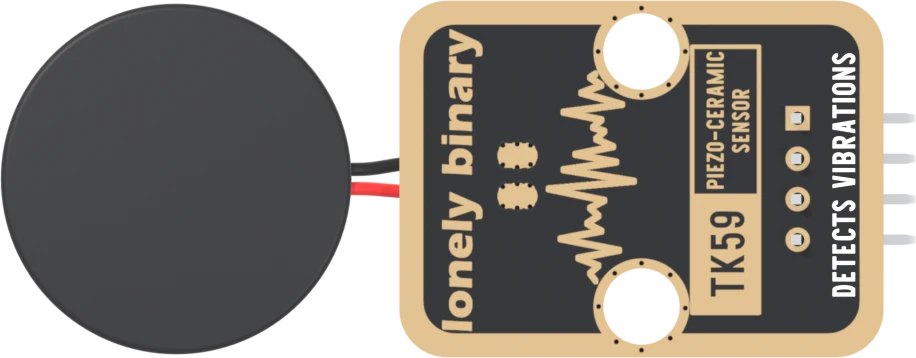
A piezo disc 22 mm across on two short leads, and four small parts: a 1 MΩ that drains it, an SS14 diode that stops it swinging below 0 V, and a 1 kΩ into a 100 nF that smooths what is left into something your board can read. No chip, no LED, no supply.
The disc, and four parts
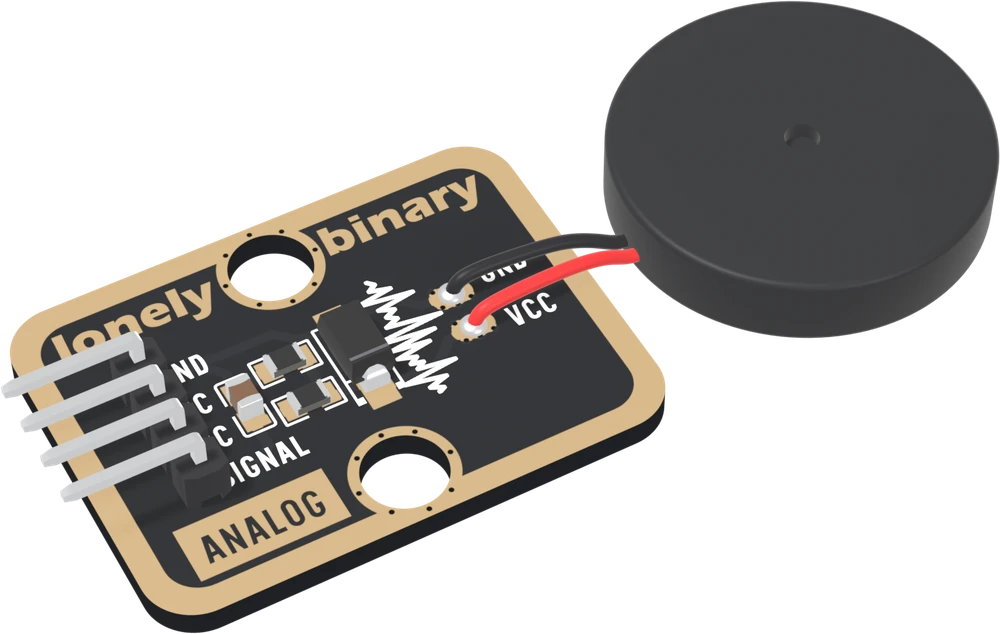
The round black case is the sensor: an XHXDZ-22045 piezo disc, 22 mm across and 4.5 mm thick, with a 2 mm hole in the middle of one face. Inside is a thin brass plate with a ceramic layer on it. Its seller sells it as a buzzer element, rated for 3 to 30 V at about 5 kHz. Here nothing drives it: it only listens.
Pick each part. There are four, all small:
- R9, 1 MΩ, from the disc's node to GND. It drains away the charge a tap leaves, so SIGNAL comes back to 0 V.
- D2, an SS14 Schottky diode, band toward the disc. It stops the disc's node going more than a few tenths of a volt below GND, and does nothing above it.
- R8, 1 kΩ, from the disc's node to SIGNAL.
- C4, 100 nF, from SIGNAL to GND. It holds the tap as a voltage your board can read.
Four parts, one hump shows what each does by taking it away.
Nothing is powered
There is no chip, no LED and no VCC pin. Every volt on SIGNAL was made by the disc. That is why the block needs two wires, and also why nothing on it can hold SIGNAL below your board's supply: nothing on it knows what that supply is. How high it goes is about what that means for a 3.3 V board.
When it does not work
Only by reading it. The block has no LED and nothing powered, so it looks the same working or not. Load the first reading sketch, open the Serial Plotter, and tap the disc: each tap is a spike on the plot.
Yes, with care: the disc is only two wires, and the schematic's own notes suggest longer leads. Keep the pair twisted together, since a long untwisted pair picks up hum, and do not pull on the solder joints at the pads: the leads are thin.
No. The TK37 is a magnetic buzzer, a coil and a steel disc switched by a transistor. This disc is a piezo element; its seller sells the same part as a buzzer, driven with 3 to 30 V, but on this board nothing drives it: it only listens.
Why a bend makes a voltage, and why a steady press does not.
A disc that makes voltage →Edit this page — content/books/piezo-sensor/what-is-on-it.mdx
Questions about this product
See what other owners have asked, and read their solutions.
Piezo-Ceramic Sensor
Loading discussions…
Discuss this article
Ask about this page. The answer stays here, on the page it belongs to, for whoever hits the same wall next.