Specifications
| Type | Digital MEMS microphone with a PDM output: one bit per clock pulse, the density of 1s following the sound. Omnidirectional |
|---|---|
| Microphone | LinkMems LMD2718T261-OA1, 2.75 × 1.85 × 0.90 mm, top port 0.5 mm across in the lid of the metal can |
| Supply | 3.3 V on 3V3, as printed. The microphone is rated 1.62 to 3.6 V, so 5 V is over its maximum. About 750 µA in standard mode, typical |
| Host | A board with a PDM input: the ESP32-S3, on I2S0 in PDM receive mode. An Arduino Uno has no I2S or PDM hardware |
| Wiring | 2 signal wires, CLK in and DATA out, plus 3V3 and GND. A 22 Ω resistor in each signal line |
| Clock | Set by the host: about 1 to 2 MHz for 16 kHz audio. Standard mode 1.0 to 4.8 MHz, low-power mode 150 to 900 kHz, asleep below 50 kHz |
| Sensitivity | -26 dBFS at 94 dB SPL, ±1 dB, typical. Speech at arm's length works out near -60 dBFS: a few tens out of 32767 |
| Noise | 58 dB(A) signal-to-noise in standard mode, 57 in low-power mode, typical. Overload at 120 dB SPL |
| L/R | Held low by 10 kΩ; a solder jumper to 3V3 ships open. One microphone needs no change; two share CLK and DATA with opposite settings |
| Header | 4-pin right-angle male, 2.54 mm: GND, 3V3, CLK, DATA, with GND on the square pad |
| Board | 22.4 × 30.4 mm TinkerBlock board, two LEGO-compatible holes 16 mm apart, red power LED |
| In the box | The I2S audio kit: TK101 PDM microphone, TK100 amplifier, TK103 DAC, a 4 Ω 3 W speaker, a 3.5 mm to 3.5 mm cable and a 3.5 mm to RCA cable. Headers fitted |
What it does
The TK101 turns sound into a stream of single bits. The ESP32-S3 sends it a clock on CLK, and on every pulse the microphone answers on DATA with a 1 or a 0; the more 1s in a short stretch, the higher the sound pressure. The ESP32-S3's I2S0 counts them back into ordinary 16-bit samples, sixteen thousand a second in this book.
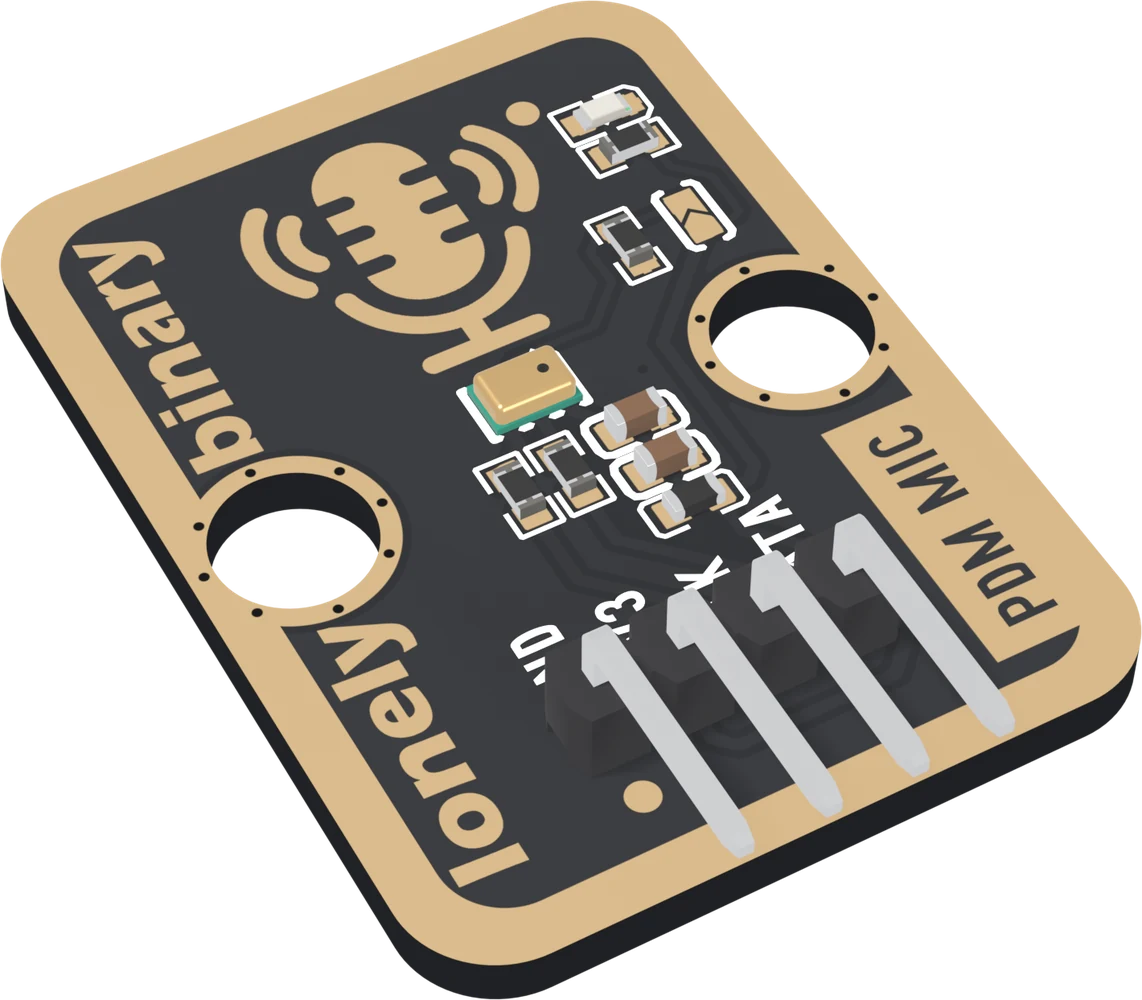
It is the digital partner of the analog TK27 microphone: the TK27 gives a voltage an Uno can read and hears claps and loud voices; the TK101 needs an ESP32-S3 and gives samples a sketch can record and play back.
Two things to know before wiring
- 3.3 V and an ESP32-S3. The microphone is rated to 3.6 V, and it needs a PDM input to read it. An Arduino Uno has neither.
- The numbers are small. Speech at arm's length is a few tens out of 32767, on a small offset. The sketches subtract the offset and multiply by a gain.
Wiring, in four lines
- GND to GND, 3V3 to 3V3.
- CLK to GPIO 5.
- DATA to GPIO 6.
- Leave the L/R jumper open for one microphone.
Where to start
The handbook below is nine short articles. Read Sound as single bits first if PDM is new, Why the numbers look small before deciding the microphone is broken, and Where the sound gets in before putting it near a speaker. How loud is the room is the first sketch; Hear it live plays the microphone into headphones through the TK103.
The other two blocks in the kit have books of their own: the TK100 I2S amplifier for the speaker and the TK103 I2S DAC for headphones and powered speakers.
When it doesn’t work
- Does it work with an Arduino Uno?
- No. The Uno has no I2S or PDM hardware to make the megahertz clock and turn the bits back into samples, and its 5 V is over the microphone's 3.6 V maximum. Use an ESP32-S3.
- Can I read it with analogRead()?
- No. DATA is a stream of 1s and 0s at about a megahertz, not a level. The ESP32-S3's I2S0 in PDM mode makes the clock and turns the bits into 16-bit samples.
- Why are the numbers so small?
- Its sensitivity is -26 dBFS at 94 dB SPL, a loud voice a few centimetres away. Speech at arm's length works out near -60 dBFS, a few tens out of 32767. Subtract the average, then multiply by a gain in the sketch.
- Do I need to close the L/R jumper?
- Not for one microphone. Leave it open, as it ships. It matters only when two microphones share one CLK and DATA wire, and then it is closed on one of them.
- Can I listen to it on the kit's speaker?
- Not live: a speaker near the microphone feeds back into a howl. Listen live in headphones through the TK103, or record first and play back through the TK100 after you stop talking.
- Which GPIOs can I use?
- Almost any: the ESP32-S3 routes I2S through its GPIO matrix. This book uses 5 for CLK and 6 for DATA. Avoid the strapping pins 0, 3, 45 and 46, the USB pins 19 and 20, and 35 to 37 on boards with octal PSRAM.